Sales is an outcome of conversations.
When a series of conversations goes well, it strengthens a customer’s will to decide in your favor. To manage sales and your pipeline, you need to manage the conversations that build it.
Sales management is about more than just the numbers in your pipeline reviews. It’s about assessing those numbers, the conversations that produce them, and what you need to close them.
Most sales management software accomplishes the first part well. This guide helps you move beyond number math and choose a tech stack that supports a holistic approach.
What Sales Management Software Actually Does
Sales management software typically gives a manager operational oversight of how a sales team executes. It tracks deal stages, rep activity, and revenue metrics in one continuously updated place.
People often confuse sales management software with CRM software. A CRM shows who your customers are, what they’re doing, and how your team manages them at each stage of their journey. Sales management focuses on what your team is doing to move them to the closed-won stage.
What sales management software is not
Sales management software is not project management software, and it is not a system for managing enterprise resources. Task boards, inventory management, and billing live elsewhere. The category exists because teams outgrow spreadsheets.
Sales Management Software vs. CRM
The difference between sales management software and a CRM system deserves a more profound look. In simple terms, sales management covers everything relevant from the time a person becomes a lead until they’re ready to make a deal (or no deal).
A CRM system keeps track of a person and their interactions with your brand from the time they’re a casual visitor until they become loyal advocates, and beyond. In particular, a CRM answers the question, “Who is this account, and what have we sold them?”
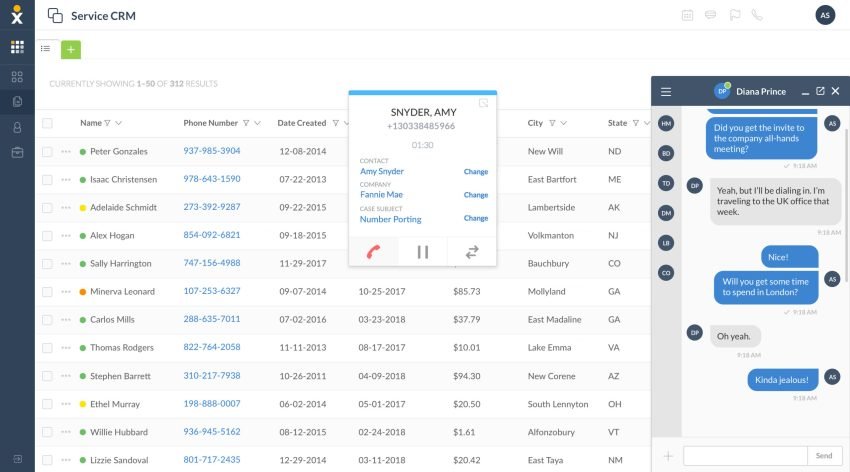
For any business aspiring to create value through customer relationships, a sales management system, a CRM, and a communication management platform are equally important. Vendor offerings often overlap, so you need to assemble the tech strategically to cover all bases.
How does communications management fit in a sales management tech stack?
Often, businesses onboard tech for a CRM and sales management, leaving communications floating. Think of them as three sides of a triangle.
Without communications or phone systems, you get a V-shaped structure, where some parts of the context simply evaporate. For example, you might see that calls are being exchanged, but the actual context of these calls doesn’t flow back to the central system, leaving a gap in what you know.
Think about what that means in a pipeline review. Every stage change in your pipeline happens because of something a rep said on a call or in a text. If none of that lands in the system automatically, you’re not reviewing the pipeline.
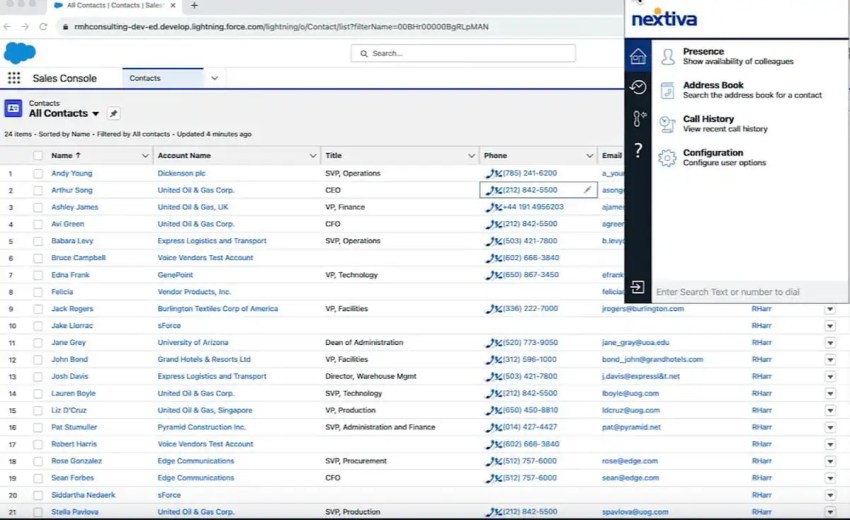
Imagine running a deal review. You need to get through 30 deals in 30 minutes, and let’s say your system isn’t connected. In this case, you rely only on what a rep tells you or, more realistically, what they are thinking at that moment, rather than the complete reality. When your CRM, sales management system, and communications system connect, you have a platform that shows you what’s really going on.
The forecast and next steps then come from a single source of truth that stays consistent for you and your rep. This keeps the team aligned and, most importantly, working toward the common goal based on actual data.
If you have an AI system but don’t integrate it well with your other systems, you create tech silos that limit AI effectiveness. Salesforce’s State of Sales research found that 51% of sales leaders using AI say tech silos delay or limit their AI initiatives. You need to ensure that your CRM, sales management, and phone systems talk to each other and keep context consistent.
In the same vein, Navin Persaud, VP of Revenue Operations at 1Password, says, “You can’t buy a platform and expect magic. You need a good process and good integration between systems first.” This foundation must be in place before the intelligence can be effective.
So, before you compare feature lists, settle the architecture question. How will conversations reach the system? Everything below depends on that answer.
Core Features of Sales Management Software Worth Paying For
Features like lead management, workflow automation for follow-ups, territory management, email tracking, and some form of data enrichment rarely separate vendors. You’ll find somewhat similar offerings in these aspects when you go through demos.
However, some features set vendors apart. Review these, and make sure to check them in demo calls.
Pipeline visibility and deal tracking
Pipeline management is the feature everyone shops for: Kanban and list views of every deal, automated stage movement, guided selling prompts that suggest the next action, and alerts when a deal stalls.
The stalled-deal alert is where you should slow down. A stalled-deal alert is based on the time since the last logged activity on that deal. But this approach creates ambiguity. A rep who called a prospect twice this week but logged nothing looks stalled, while a rep who padded a deal with vague notes looks active.
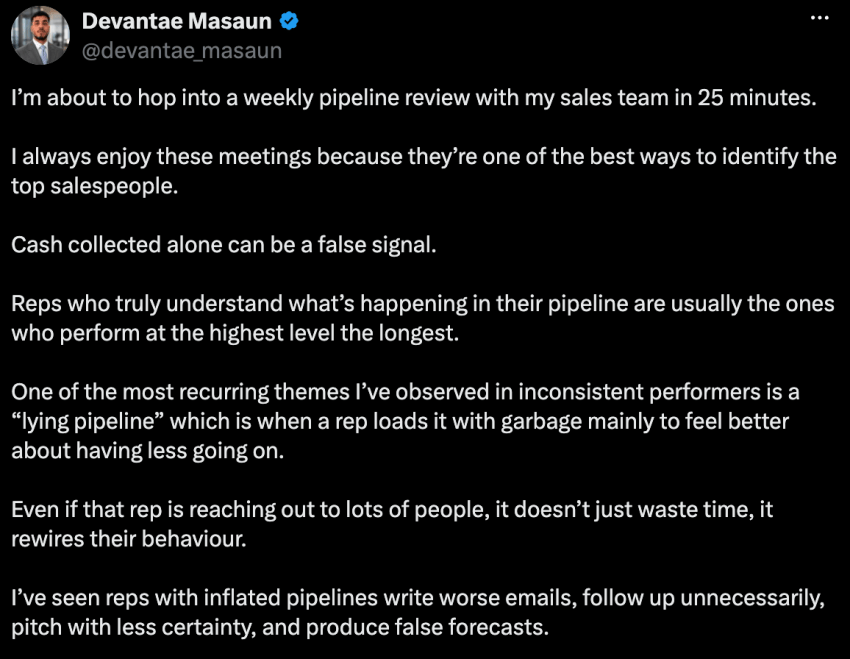
Sales team leads see these situations constantly. One calls it a “lying pipeline” because reps load it with garbage deals and produce false forecasts. Healthy pipeline discipline looks different. The real measure of pipeline comes out more realistically when you track one action per deal per week that moves it at least an inch toward close. If your pipeline view can’t be configured to show that, its effectiveness is questionable.
During a demo, ask sales or solutions people what exactly triggers a stalled-deal alert and whether an unlogged call counts as activity.
Activity capture and call monitoring
Salesforce stats suggest that reps spend almost 60% of their time on non-selling tasks like manual data entry, lead research, and tool switching. If you ask them to fill in records manually, you’re setting them up for lower sales, not better data.
Salespeople don’t appreciate anything that pulls them out of the flow while selling. Here, dirty data comes from friction and bad timing. It’s not necessarily about reps’ misguided intentions.
Here’s what actually survives each approach:
| What the manager needs to know | Manual logging | Automatic capture |
|---|---|---|
| That a call happened | Only if the rep types it in | Always, with a time stamp |
| Duration and outcome | A guess, entered after the fact | Recorded exactly |
| What was said | “Went well; follow up next week” | Full recording and transcript |
| Texts and chats | Rarely logged | Captured in the same thread |
Capture is only part of the process. The other side is what you do with the captured data. Modern call monitoring software lets a manager listen to live calls, coach a rep through whisper mode without the customer hearing, and barge in when a deal needs saving.
Recorded-call review turns real conversations into training material, which is why recording sales calls has become standard practice on high-performing teams. Conversation intelligence extends this with AI transcription and analysis, which is coaching at scale when it’s used.
Navin Persaud shows what the payoff looks like when leadership commits: weekly summaries distilled from 150 calls that reveal enablement gaps and winning patterns. If you want a primer on how this technology fits a sales motion, start with conversational AI for sales teams.
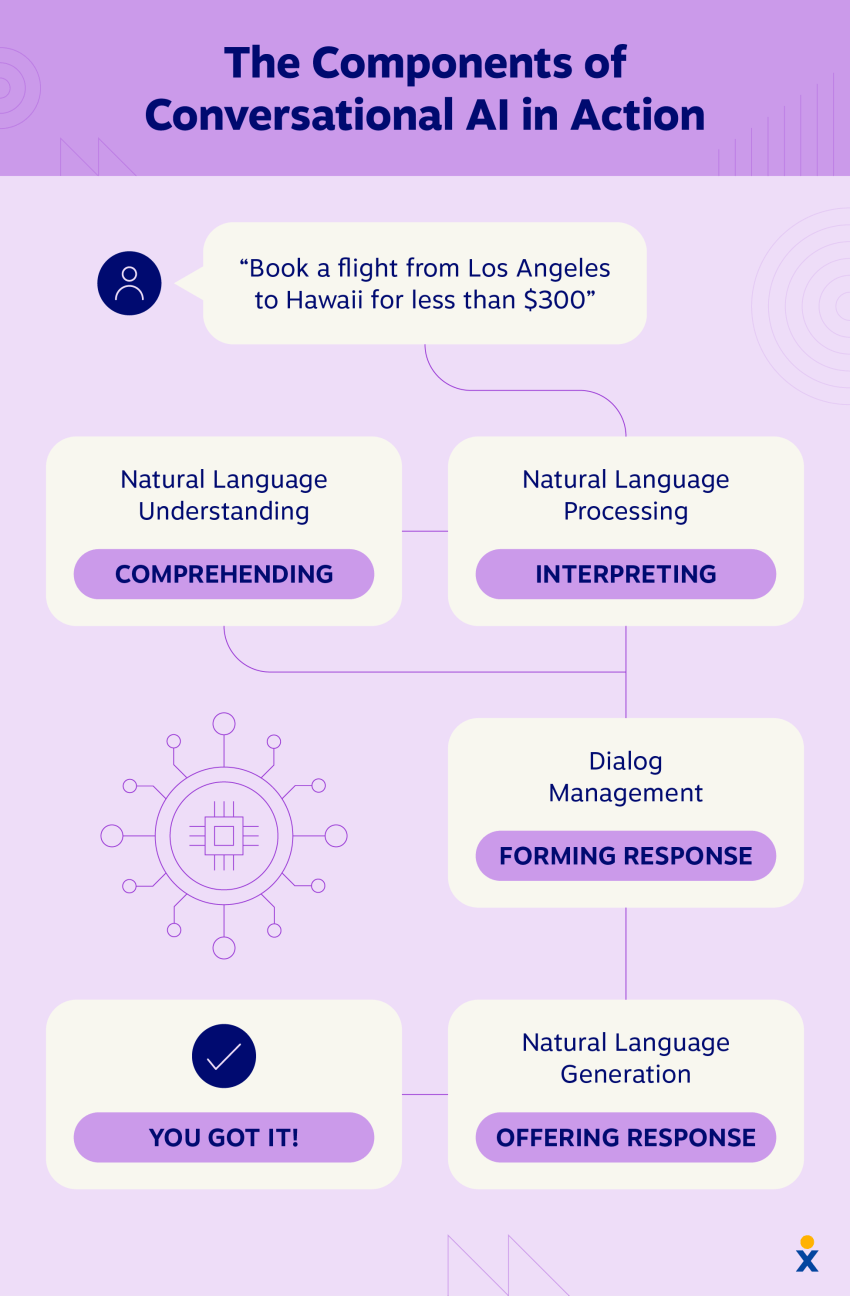
Here’s what a call-driven pipeline looks like when the capture layer works. Franklin Street, a commercial real estate firm with 325 employees across six offices, runs about 1,500 calls a day, mostly sales calls to prospects. The firm broadcasts daily call counts company-wide to keep team performance visible, and it has averaged 30% annual revenue growth since adopting Nextiva.
There’s one guardrail before you turn recording on. Call recording consent is governed by federal and state law, and the rules change across state lines. Confirm that your system plays a recording announcement, and check the laws in every state you sell into.
As a takeaway, ask this demo question and hear what the vendor suggests: When a rep hangs up, what appears on the deal record with no action from them?
Forecasting and performance analytics
A forecast is a model built on logged activity, so the forecasting module you’re evaluating can only ever be as effective as the activity layer feeding it. Also, the reliability of that forecast comes from coaching. Sales leadership coach Steven Rosen clearly explains, “Technology creates visibility, but it doesn’t create reliability of forecasting.” Reliability comes from coaching and discipline layered on top.
The experts who run the process well start in the same place. It usually begins with verifying CRM data, then assessing risk, because risk assessment on bad data is theater. You must ensure that the inputs are trustworthy.
For performance analytics, if you build one metric first, make it activity-to-close by rep. This measures how much logged activity each rep needs per closed deal. It answers the diagnostic question: Does this rep have a volume problem or a conversion problem?
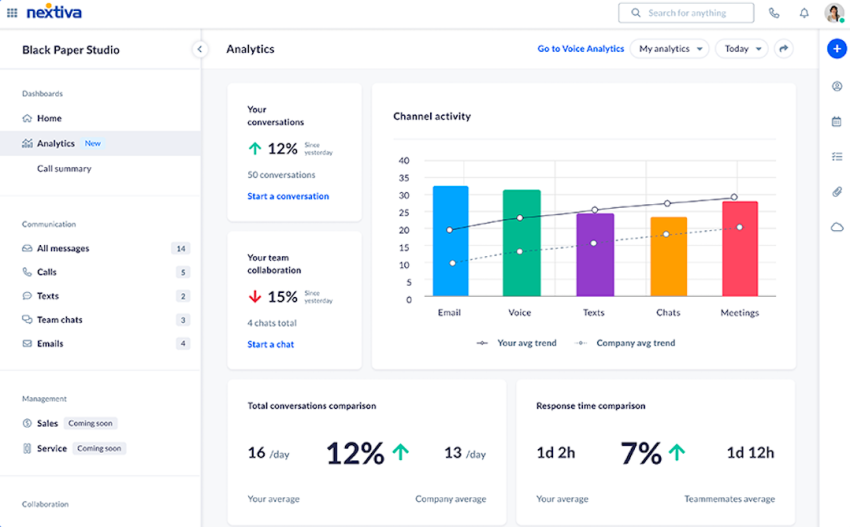
Demo question: Can the platform report activity-to-close by rep, and does that calculation include automatically captured calls or only manually logged ones?
Response speed
Even when response time is a controllable conversion variable at the top of the sales funnel, it’s sparsely discussed. Nextiva’s Customer Patience Benchmark, a survey of 400 U.S. consumers, found people expect phone, SMS, and ticket responses within five minutes, chat replies within about a minute, and email within 30 minutes. If you miss the window, 56% immediately try another channel, and 28% abandon the product or service outright.
Treat response speed as an operational metric. In some places, sales leaders have tied it to SDR bonuses.
Response time is only measurable if inbound calls, texts, and chats are time-stamped in the same system as the deal. This feature is a phone system capability, which is why it belongs in this evaluation. A platform that can’t see the inbound conversation can’t tell you how fast your team answered it.
Demo question: Can the platform show the average time from inbound contact to first rep response, per channel?
How to Evaluate and Choose a Sales Management Platform
Before you start comparing vendors, it’s better to size the tool to the team. For example, a six-rep inside sales team needs quick setup, mobile parity, and capture that works without admin. In contrast, a 60-rep multi-region team requires granular reporting, a coaching workflow, and compliance controls.
It’s also worth weighing consolidation. Sales reps would find it tricky to manage a separate tool for call recording, a sales engagement platform for cadence, and another tool for logging meetings. Fewer tools mean fewer gaps in capturing activity, which ultimately leads to fewer silos.
Check the quieter integrations too. Calendar and email sync with Google Workspace is how meeting activity reaches the deal record, and it’s often gated to higher plans.
Here’s the checklist to screenshot and send to whoever owns the budget:
| Confirm before you sign | What good looks like |
|---|---|
| CRM integration | Native two-way sync, not a one-way export or a third-party patch |
| Phone system integration | Auto-logging of calls, texts, and chats to the deal, with recordings attached |
| Activity capture | A defined list of what logs with zero rep action |
| Manager tooling | Live monitoring, whisper coaching, barge-in, recorded-call review |
| Reporting granularity | Metrics by rep, lead source, and stage, including activity-to-close |
| Mobile parity | Full functionality for field and remote reps, not a read-only app |
| Recording compliance | Configurable consent announcements, verified for the states you sell into |
| Pricing model | Per-user cost at your year-two head count, in writing |
If the CRM sync is shallow or the phone integration doesn’t auto-log, every dashboard the platform renders is built on whatever reps remember to type.
You’d be buying a beautiful view of incomplete data.
The Top Sales Management Software Options to Consider
Here are eight platforms that earn a place on most shortlists.
*Pricing below reflects annual billing as published on each vendor’s site; confirm against the live page before you sign, because these numbers move.
| Platform | Starts at | Standout strength | Verify before signing |
|---|---|---|---|
| Salesforce Sales Cloud | $25/user/mo | Forecasting and territory depth | Which tier holds the features you need |
| HubSpot Sales Hub | $20/seat/mo | Ease of adoption at scale | Pooled calling-minute caps |
| Zoho CRM | $14/user/mo | Forecasting at entry price | Edition ladder as needs grow |
| Pipedrive | $14/seat/mo | Cleanest visual pipeline | Usage limits per tier |
| Freshsales | $9/user/mo | Most bundled at the low end | Depth of the built-in phone channel |
| monday CRM | $12/seat/mo | Workflow flexibility | Integration-only activity capture |
| Copper | $23/seat/mo | Auto-capture inside Gmail | Voice capture and contact limits |
| Insightly | $29/user/mo | Won deals becoming projects | What the handoff record contains |
1. Salesforce Sales Cloud
Salesforce Sales Cloud spans the full arc of sales management, from opportunity records to territory planning to AI coaching agents, and its pricing spans just as widely, from $25 per user per month on Starter Suite to $550 per user per month for the Agentforce 1 Sales tier.
Capabilities like Einstein lead scoring, predictive forecasting, and conversation insights sit in specific tiers and add-ons.
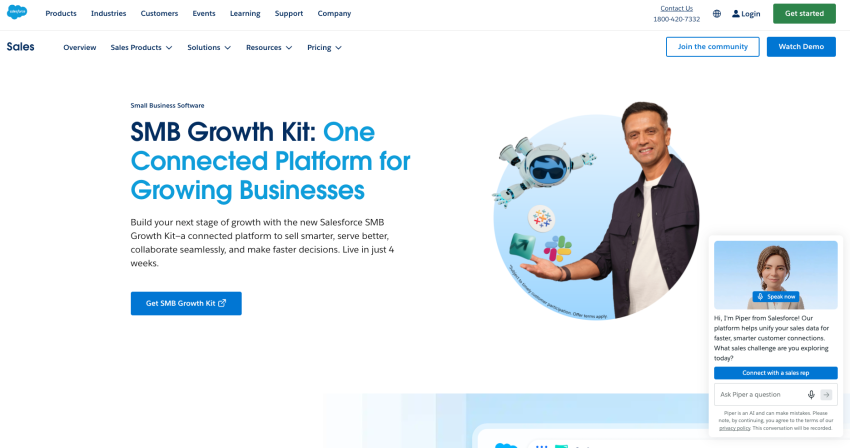
Best fit: Mid-market and enterprise teams with dedicated ops support and processes complex enough to justify the configuration work.
Below are some key features of Salesforce Sales Cloud:
- Forecasting depth: Advanced forecast and pipeline management, opportunity splits, and embedded forecast charts
- Territory management: Native sales territories for multi-region teams
- AI layer: Einstein lead and opportunity scoring, Einstein Activity Capture for email and calendar, and Agentforce coaching for agents on top tiers
What to check: Calls reach Salesforce through integrations, so your phone system’s auto-logging quality determines whether forecasting intelligence runs on complete or partial data.
2. HubSpot Sales Hub
HubSpot Sales Hub takes the opposite path: fast to adopt, clean to use, and priced to grow into, with plans starting at $20 per seat per month and stepping up to $90 for Professional and $150 for Enterprise.
Manager-facing features like forecasting and conversation intelligence arrive at the Professional tier, and deal journey analytics arrive at Enterprise.
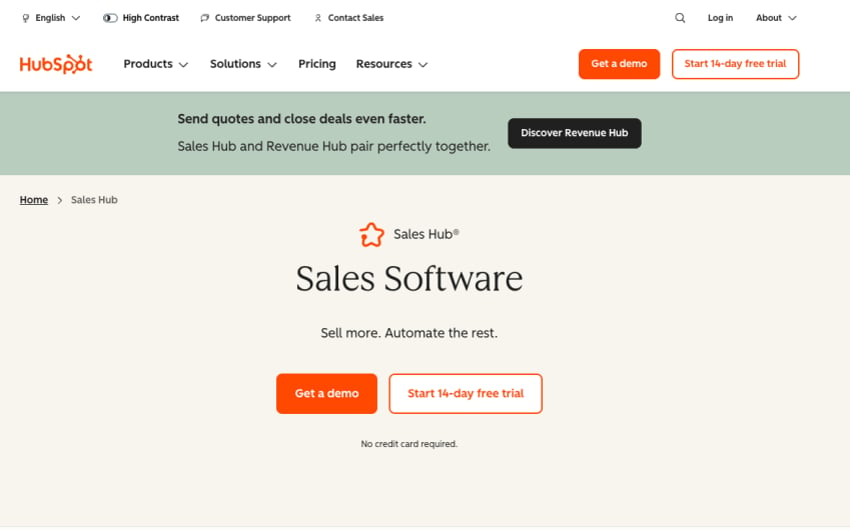
Best fit: Growing teams that want CRM, sales management, and marketing in one system without an admin hire.
Below are some key features of HubSpot Sales Hub:
- Conversation intelligence: Call transcription and coaching insights at Professional and above
- Pipeline management: Visual deal pipelines that scale by tier, with smart deal progression on higher plans
- Forecasting: Built-in forecasting plus a dedicated sales workspace at Professional
What to check: HubSpot includes a built-in calling tool, but it’s capped by plan limits. For a call-heavy team, it’s a supplementary channel, not a phone system. You’ll need a phone system that scales well as your team or call volumes grow.
3. Zoho CRM
Zoho CRM is the value play of the category and a genuinely capable one. Editions run from $14 per user per month on Standard to $52 on Ultimate, with sales forecasting available from the entry tier, which almost nobody else offers at that price.
The catch is how capability spreads across the four editions: Workflow depth, Zia AI, and territory management live at Enterprise, and the whole account shares one edition, so one power user’s needs set everyone’s seat price.
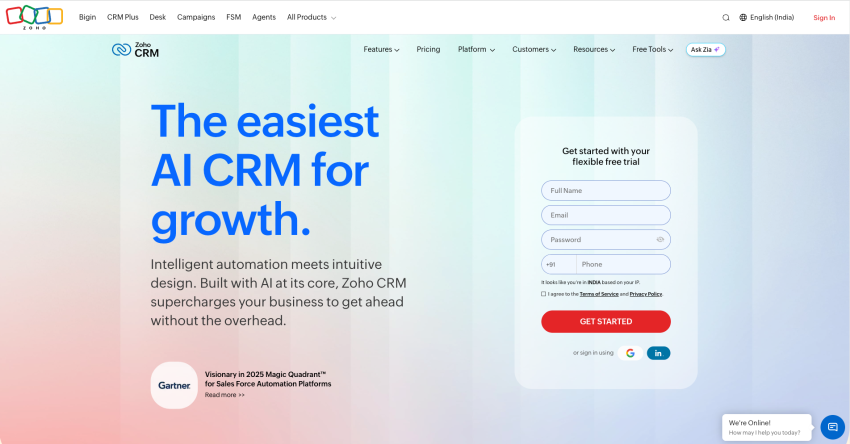
Best fit: Budget-conscious teams that want real sales management features early and are willing to move up editions as they grow.
Below are Zoho CRM’s key features:
- Sales forecasting: Available from Standard, with AI-assisted forecasting at Enterprise
- Process enforcement: Blueprint workflows that force deals through defined stages
- Cadences: Multichannel follow-up sequences built in
What to check: Telephony arrives through marketplace integrations rather than a carrier-grade phone layer. Confirm exactly what a connected phone system writes back to the deal record, because Zoho’s forecasting is only as current as that sync.
4. Pipedrive
Pipedrive built its reputation on doing one thing with unusual clarity: the visual pipeline. It remains the fastest way for a small team to see every deal, and its plans run from $14 per seat per month on Lite to $79 on Ultimate. Growth adds automations and forecast reports, and Premium adds lead routing, custom scoring, and data enrichment.
Watch the plan limits as you scale; automations, custom fields, and reports all rise by tier, and teams often hit those ceilings sooner than expected.
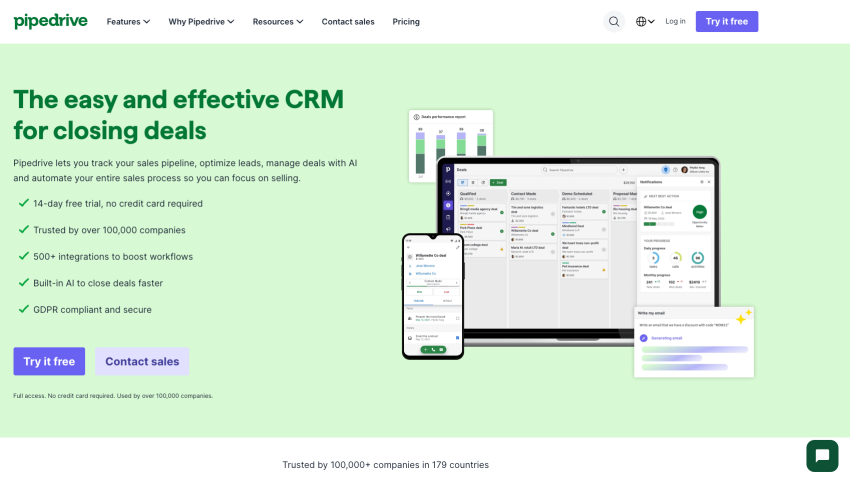
Best fit: Small and mid-sized sales-led teams that want pipeline management without a platform project.
Key features of Pipedrive include:
- Pipeline management: The category’s cleanest Kanban view, with a real-time sales feed
- Forecast reports: Revenue projections and subscription tracking from the Growth plan
- Lead scoring: Custom scoring and enrichment at Premium
What to check: Calls and texts reach Pipedrive through integrations and add-ons. Before committing, ask: Does an unlogged call count as activity, and what shows up on the deal when a rep hangs up?
5. Freshsales
Freshsales bundles more into its entry price than any platform on this list. The Growth plan starts at $9 per user per month and includes chat, email, and a built-in phone channel. Pro at $39 adds the sales management substance, including contact scoring, deal insights, territory management, and sales sequences, while Enterprise at $59 adds forecasting insights.
Freddy AI supplies the scoring and deal recommendations, though the autonomous Freddy AI agent is a usage-priced add-on at $49 per 100 sessions.
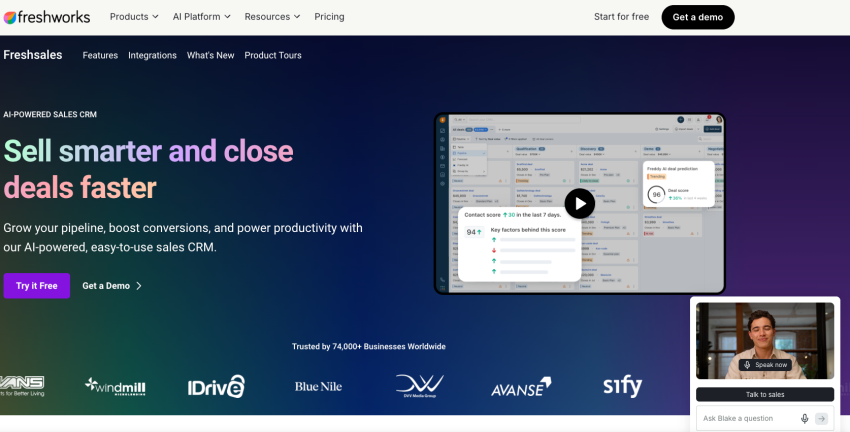
Best fit: SMBs that want CRM, sales management basics, and a calling channel in one login at the lowest workable price.
Key features of Freshsales include:
- Contact scoring: Freddy AI intent scores to prioritize leads
- Deal insights: AI-suggested next actions and risk signals on open deals
- Territory management: Available at Pro, unusual at this price point
What to check: The evaluation question is whether a CRM calling channel covers your team’s actual call operations: Routing, live monitoring, whisper coaching, and reliability guarantees are where a built-in channel and a dedicated phone system part ways.
6. monday CRM
monday CRM approaches sales management from a work-management perspective. Deals live on flexible boards, and the same automation engine that runs projects also runs follow-ups, handoffs, and status changes. Plans start at $12 per seat per month on Basic, with Standard at $17 and Pro at $28, and every paid plan carries a three-seat minimum.
The flexibility is the appeal and the risk: You can shape it to any sales process, which also means you’re responsible for shaping it.
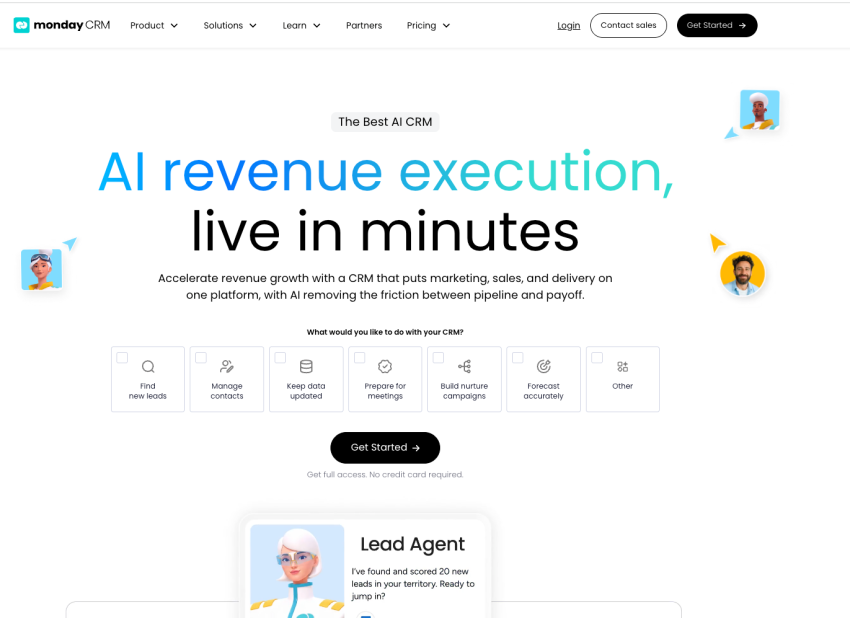
Best fit: Teams that already run monday.com for work management or teams whose sales motion involves heavy cross-functional handoffs.
Below are key features of monday CRM:
- Workflow automation: No-code automations across deals, tasks, and team handoffs
- Custom dashboards: Widget-based reporting assembled to match your metrics
- Board flexibility: Pipelines, onboarding, and post-sale work in one structure
What to check: Review everything conversational. There’s no native dialer, so activity capture depends entirely on integrations. If calls drive your pipeline, test the integration path before you buy.
7. Copper
Copper answers one question better than anyone: What if the CRM lived where your team already works? It’s built for Google Workspace, sitting inside Gmail as a sidebar and auto-capturing contacts, email threads, and calendar events without rep action.
Pricing runs from $23 per seat per month on Basic to $59 on Professional and $99 on Business, with contact limits of 2,500 and 15,000 on the lower two tiers.

Best fit: Relationship-driven teams on Google Workspace, such as consultancies, agencies, and professional services, where email is the dominant channel.
Below are some key features of Copper:
- Automatic email capture: Conversations and files syncing from Gmail and Drive with zero logging
- Pipeline management: Flexible pipelines with task automation from the entry tier
- Workflow automation: At Professional, with reporting to match
What to check: Copper solves automatic email capture brilliantly, which sharpens the contrast for voice. Calls and texts aren’t part of the Workspace exhaust it feeds on, so a call-heavy Copper team needs a phone layer that closes the exact gap Copper closed for email.
8. Insightly
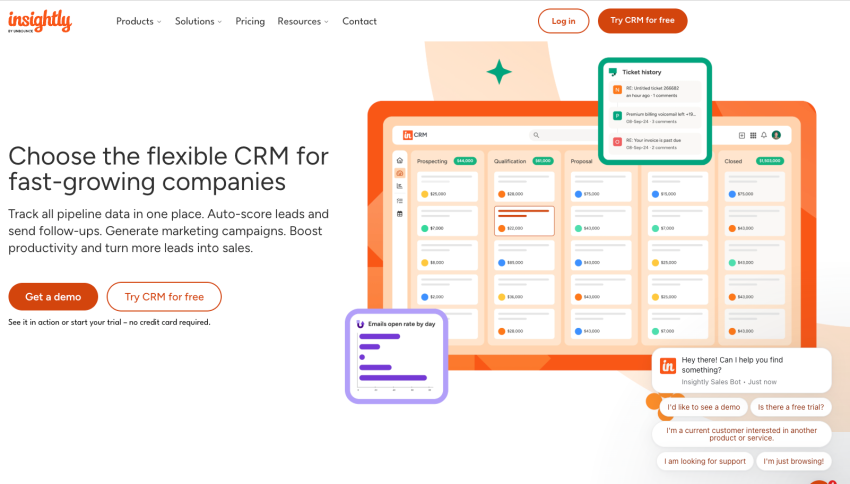
Insightly is based on the idea that a deal isn’t done when it’s won. Its distinctive move is converting a closed-won opportunity directly into a project, carrying the contact, notes, and requirements straight to the delivery team with no re-entry.
CRM plans start at $29 per user per month, with quoting and price books available at the $99 Enterprise tier.
Best fit: Businesses that sell work they then have to deliver, where the sales-to-delivery handoff loses more revenue than the pipeline does.
Below are some key Insightly features:
- Opportunity-to-project conversion: Won deals become delivery projects with data intact
- Pipeline and lead management: Standard visual pipelines with lead routing
- Quoting: Products, price books, and quote generation at the top tier
What to check: The delivery handoff is only as rich as the record it inherits. If the sales conversations never made it into the opportunity, the project team inherits only a summary of a summary. Calling runs through integrations, so apply the same auto-logging test as everywhere else on this list.
Nextiva: The Layer Under Whichever Platform You Pick
Nextiva is not a sales management platform. It doesn’t do deal stages, quota tracking, or forecasting by rep, and if those are what you’re shopping for, pick from the eight platforms above. Nextiva competes for a different slot in the stack: It’s the business phone system that captures the conversations every platform above depends on and can’t see on its own.
Best fit: Any team on this page whose deals move by phone and text, and any team that got to the end of the evaluation checklist and couldn’t answer the activity capture row.
Below are some Nextiva features that would make sense on your stack:
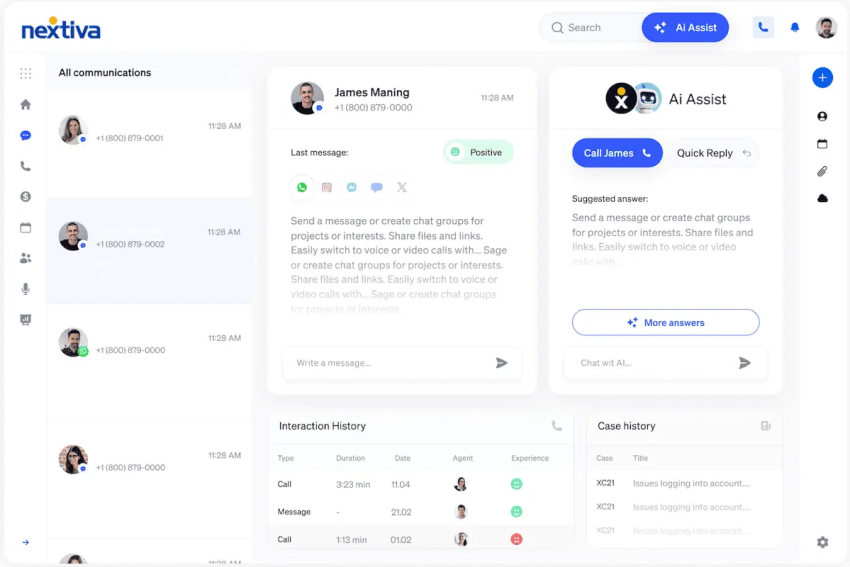
- Automatic activity capture: Calls, texts, and chats logged with timestamps, recordings, and duration, with zero rep action
- CRM integration: Native Salesforce and HubSpot integrations with two-way sync and screen pop
- Manager tooling: Live monitoring, whisper coaching, and real-time call analytics
How Nextiva fits with a CRM and a sales management platform: It covers the gaps the other two systems leave. The CRM holds the record, the sales management platform holds the process, and Nextiva holds the conversations and hands them to both. None of the three replaces the others, which is precisely the point.
The holistic version of this stack isn’t a bigger platform but three layers, each doing its own job, connected well enough that the dashboard finally tells the truth.

Connect Your Pipeline to the Conversations Behind It
Whichever sales management platform you choose, its reporting will only be as good as the activity data feeding it. And most of that activity is a call or a text.
Nextiva helps you make sense of these calls and texts in one platform and feeds their data to the tools that need it. Its business phone system plugs into CRM systems that sales teams already run.
If you’re interested in exploring Nextiva, pricing starts at $15 (Core plan) per user per month on annual billing and covers inbound and outbound voice, business SMS, video, call routing, and the mobile app.
Keep your pipeline review from becoming detective work. Explore Nextiva’s call management software and give your pipeline numbers something true to stand on.
The call management software built for every business.
Nextiva’s call management software routes, records, and tracks inbound and outbound calls in one platform. Easy setup. Budget-friendly. Trusted by millions.