Customer service software brings customer conversations, support workflows, automation, and performance data together in one system. The right platform gives agents the context they need to manage customer queries and resolve requests faster. It also gives managers greater control over call routing, service levels, quality, and costs.
However, these platforms vary widely in scope. Some focus on email ticketing or live chat, while others combine customer support software with voice, messaging, social media, CRM data, workforce management, and AI agents. A platform built for a five-person support team may not provide the governance, integrations, reporting, or capacity that a regional contact center requires.
This guide compares 17 customer service software platforms for growing, mid-market, and enterprise businesses. It covers pricing, free plans, AI capabilities, ideal company size, advantages, limitations, and the use cases each customer support tool handles best.
Evaluating contact centers? Get the buyer’s guide.
This guide reveals the five pillars of a modern platform, key questions to ask, and red flags to avoid.
Best Customer Service Software in 2026 Compared
The table below gives you a quick comparison of the 17 platforms covered in this guide. AI-native describes platforms built around autonomous AI agents or AI-led resolution. AI-assisted platforms primarily use AI to support human agents with summaries, recommendations, routing, and content generation. Many platforms now combine both approaches.
| Customer service software | Best for | Starting price | Free tier | AI approach | Best company size |
|---|---|---|---|---|---|
| Nextiva | Unified voice and digital customer service | $15 per user/month, billed annually | No | AI-assisted with autonomous AI options | Growing, mid-market, and enterprise |
| Zendesk | Scalable omnichannel ticketing | $19 per agent/month, billed annually | No | AI-assisted and AI-native | Mid-market and enterprise |
| Salesforce Service Cloud | CRM-connected enterprise service | $25 per user/month | No | AI-assisted and AI-native | Mid-market and enterprise |
| Freshdesk | Accessible help desk and omnichannel service | Free; paid plans from $19 per agent/month, billed annually | Yes, for up to two agents | AI-assisted and AI-native | Small and mid-market |
| HubSpot Service Hub | Customer service connected to HubSpot CRM | Free; paid plans from $20 per seat/month | Yes, for up to two users | AI-assisted with autonomous AI options | Growing and mid-market |
| Intercom | AI-first conversational support | $29 per seat/month plus AI usage | No | AI-assisted and AI-native | Growing and mid-market |
| ServiceNow CSM | Complex enterprise service workflows | Custom quote | No | AI-assisted and AI-native | Enterprise |
| Zoho Desk | Cost-conscious omnichannel ticketing | Free; paid plans from $7 per agent/month, billed annually | Yes, for up to three agents | Primarily AI-assisted | Small and mid-market |
| Help Scout | Shared inboxes and personalized support | Free; paid plans from $25 per user/month | Yes, for up to five users | AI-assisted with AI resolution | Small and mid-market |
| Gorgias | Ecommerce customer service | $40 per month | No | AI-assisted and AI-native | Small and mid-market ecommerce |
| Front | Collaborative customer communication | $25 per seat/month, billed annually | No | AI-assisted and AI-native | Growing and mid-market |
| LiveAgent | Multichannel support with live chat and voice | $15 per agent/month, billed annually | No; 30-day trial available | AI-assisted and AI-native | Small and mid-market |
| Gladly | Customer-centered retail service | Custom quote | No | AI-assisted and AI-native | Mid-market and enterprise |
| HappyFox | Configurable help desk workflows | $24 per agent/month, billed annually | No; 14-day trial available | AI-assisted and AI-native | Mid-market and enterprise |
| Tidio | Website chat and AI support | Free; paid plans from $24.17 per month | Yes | AI-assisted and AI-native | Small and growing businesses |
| TeamSupport | B2B customer support | $45 per month, billed annually | No | Primarily AI-assisted | Mid-market B2B |
| Helpshift | In-app and mobile customer service | Custom quote | No | AI-assisted and AI-native | Mid-market and enterprise |
Starting prices do not provide a complete cost comparison. Some vendors charge separately for AI resolutions, messaging volume, telephony, advanced reporting, sandbox environments, workforce management, onboarding, or premium support.
We compared these customer service software platforms using publicly available information, pricing pages, integration directories, free trials, and recent third-party customer reviews. We evaluated each platform using five criteria:
- AI capabilities: We reviewed customer-facing AI agents, agent assistance, conversation summaries, response generation, intelligent routing, knowledge retrieval, and escalation to a human agent. We also considered whether each platform follows an AI-native or AI-assisted model or supports both approaches.
- CRM and business integrations: We assessed how each platform connects with existing CRM systems, ecommerce, billing, order management, collaboration, telephony, and other tools. We also examined whether these integrations simply display information or can update records and trigger workflows.
- Pricing and total cost: We compared published starting prices, billing terms, minimum seat requirements, AI usage fees, and common add-ons. Many enterprise vendors use custom pricing, so businesses should request a complete quote based on their expected number of agents, service channels, and interaction volume.
- Scalability: We considered how well each platform can support larger teams, higher conversation volumes, multiple channels, several departments, complex permissions, and advanced reporting as a business grows.
- Free tier and trial availability: We checked whether each provider offers a permanent free plan or limited trial that teams can use to assess usability and core workflows before making a purchase.
We reviewed the essential features advertised by each software provider, but we also considered usability, implementation requirements, and possible additional costs.
17 Best Customer Service Software
Here are 17 customer service software platforms for growing, mid-market, and enterprise businesses with an established market presence.
1. Nextiva
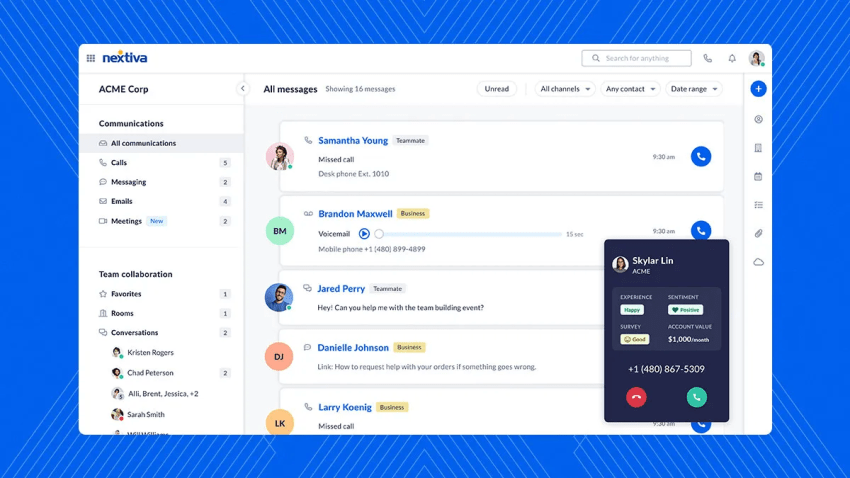
Obviously, we would lead with Nextiva. We use it; we’ve built it. Over 100,000 businesses depend on it. Nextiva is a recognized, leading unified customer experience management (UCXM) platform, offering intelligent tools within the Nextiva environment.
Nextiva brings business communications, contact center operations, and customer interaction management into one platform. It suits businesses that want to manage voice, email, messaging, web chat, social media, and reviews without piecing together several disconnected products.
Nextiva is particularly useful for growing and mid-market businesses that still handle a large share of customer support by phone. Many traditional help desks manage digital tickets well but require a separate phone system or third-party contact center integration. Nextiva combines business phone service with routing, automation, customer context, analytics, and contact center tools.
Nextiva can centralize customer support operations and reduce the need to combine separate communication and service platforms. Agents can manage customer interactions through a shared interface instead of switching between separate phone, chat, and customer management tools. They can respond quickly, maintain consistent support across channels, and use customer context to deliver personalized assistance.
Key features
- Business phone system: Enterprise-grade VoIP phone service with intelligent auto-attendant, call routing, voicemail-to-email transcription, and intuitive mobile/desktop apps for anywhere communication.
- Contact Center as a Service (CCaaS): Comprehensive omnichannel routing across voice, email, chat, and SMS channels, supported by intelligent virtual agents (IVAs), advanced call management, workforce optimization tools, and real-time analytics dashboards.
- AI-powered conversation management: Uses AI for call transcription, conversation summaries, agent assistance, intelligent routing, and approved customer-facing automation.
- Sales and service tools: Integrated lead and opportunity management, 360° customer profile tracking, and case management capabilities for a unified customer view to improve relationship management.
- Customer journey orchestration: Helps coordinate customer interactions across channels and route phone calls according to their needs, history, and stage in the journey.
- Collaboration suite: Better team communication through integrated messaging, HD video conferencing, and centralized task management to optimize internal workflows.
- Actionable analytics: Detailed insights into all platform interactions, including call metrics, communication patterns, and service efficiency indicators, enabling continuous improvement.
- Enterprise reliability: Industry-leading 99.999% availability with redundant systems and our unique “Amazing Service” philosophy for responsive support when you need it most.
Nextiva AI capabilities
Nextiva uses AI to summarize calls, transcribe conversations, support routing decisions, analyze interactions, and provide agents with relevant customer context. These capabilities can reduce administrative work, improve agent productivity, and enhance customer support before, during, and after each conversation.
Businesses can also use Nextiva XBert, an AI employee that handles customer conversations and completes approved tasks across voice and digital channels. XBert can answer questions, collect customer information, schedule appointments, update connected business systems, and transfer conversations to a person when necessary.
Nextiva therefore supports both AI-assisted and AI-led customer service. Buyers should confirm which AI features their selected plan includes and which require separate products or usage-based fees.
Nextiva pricing and free tier
Nextiva offers business communication plans for growing teams and separate contact center plans for businesses with more advanced customer service requirements.
Business communication plans:
- Core: Starts at $15 per user per month when billed annually. It includes a unified inbox, VoIP, inbound and outbound calling, SMS, video meetings, call routing, team chat, and mobile apps.
- Engage: Starts at $25 per user per month when billed annually. It adds service automation, intelligent routing, performance insights, toll-free minutes, inbound call center features, live chat, and chatbot capabilities.
- Scale: Starts at $75 per user per month when billed annually. It adds journey orchestration, blended inbound and outbound calling, AI transcription and summaries, and customizable skills-based routing.
Contact center plans:
- Essential: Starts at $75 per agent per month. It includes omnichannel capabilities, journey orchestration, AI transcription and summaries, skills-based routing, voice, and web chat.
- Professional: Uses custom pricing and includes everything in Essential, plus advanced self-service, real-time supervisor support, PCI-DSS-compliant payments, progressive and predictive dialing, and support for additional channels.
- Premium: Uses custom pricing and includes everything in Professional, plus workforce management, unlimited skills-based routing, advanced analytics, unlimited channels, and in-conversation payments.
Nextiva does not advertise a permanent free plan. Businesses should request a quote for the Professional and Premium contact center plans, as the final cost may depend on agent count, channels, integrations, AI requirements, and implementation scope.
Pros and cons

Pros

Brings voice and digital service channels together to provide a strong business phone and contact center foundation
Supports growing and distributed teams and reduces the need for separate communication products
Gives businesses a practical path from business phone service to a broader contact center platform
Cons

The entry-level plan does not include every customer service or contact center feature
Advanced deployments may require a custom quote
Teams that need only basic email ticketing may not require the full communication suite
Customer rating: 4.5/5
Customer review:
“The text message feature is a game changer! Especially when you are on a call and need to send an important message, such as address, name of business, and other updates. One of the best softphones in the contact center industry I have been able to use, and it works amazingly! I love the interface and quality!”
– Nextiva Review, Stephanie A.
Best for: Growing and mid-market businesses that need integrated voice, digital customer service, contact center capabilities, CRM integrations, and team collaboration in one platform. Ideal for companies that value excellent voice communication while modernizing their customer experience technology.
2. Zendesk
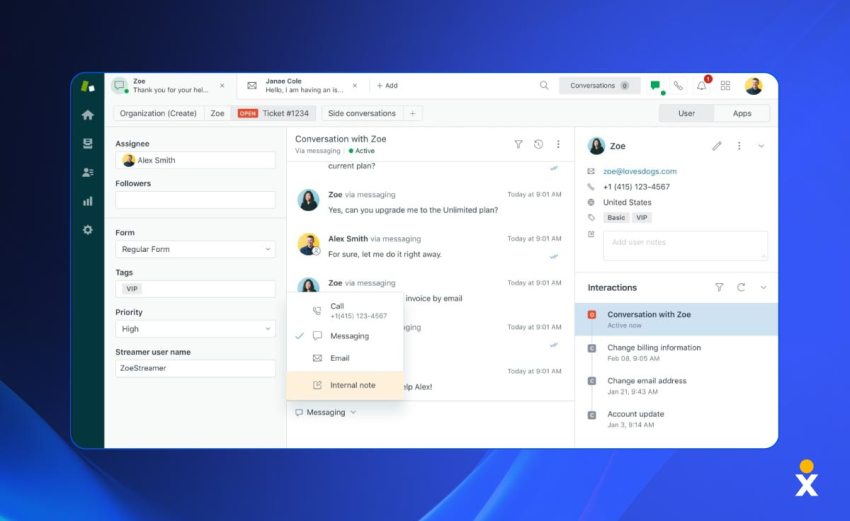
Zendesk is a well-known and widely used customer service platform. It offers a complete suite of tools, including a ticketing system, knowledge base, live chat, call center software, an open & flexible CRM platform, and powerful analytics.
The platform is known for its scalability, extensive integration marketplace, and support for mid-market and enterprise teams managing several channels, workflows, and customer service departments.
Key features
- Omnichannel ticketing: Converts email, chat, messaging, social media, and voice requests into trackable conversations.
- Intelligent routing: Assigns requests according to intent, priority, agent skills, capacity, and availability.
- AI agents and copilot: Resolves approved requests and assists agents with summaries, suggested replies, and recommended actions.
- Knowledge management: Provides customer-facing help centers, internal resources, and article recommendations.
- Reporting and administration: Tracks service performance and provides enterprise controls such as custom roles, audit logs, and sandbox environments.
Zendesk AI capabilities
Zendesk offers AI agents that respond to customers and resolve approved requests across supported channels. Its agent copilot tools can also suggest replies, summarize conversations, retrieve relevant information, predict customer intent, and recommend the next action.
Zendesk combines AI-led customer resolution with AI-assisted workflows for human agents. The plan and add-ons a business chooses determine the available features and level of AI support.
Before choosing Zendesk, review how the company measures and charges for AI usage. Ask what qualifies as an automated resolution, which channels support AI agents, how the platform transfers unresolved conversations to human agents, and whether each handoff preserves the customer’s full context.
Zendesk pricing and free tier
Zendesk offers the following plans when paid annually:
- Support team: $19 per agent per month
- Suite team plan: $55 per agent per month
- Suite professional: $115 per agent per month and includes more advanced features
- Suite enterprise + Copilot: This enterprise plan uses custom pricing
Zendesk does not offer a permanent free plan, but businesses can use its 14-day free trial to test the platform. Businesses should compare the platform’s advanced features with their actual requirements because Copilot, workforce engagement, contact center capabilities, and other optional products may increase the total cost. Check the Zendesk pricing page for current prices and packages.
Pros and cons
Pros
Supports multiple brands, regions, and large service teams
Offers a mature marketplace and partner network
Gives administrators considerable control over service processes
Cons
Advanced AI and enterprise capabilities can increase the total cost
Complex configurations may require dedicated administrators
Add-ons make final costs harder to estimate
Customer rating: 4.3/5
Customer review:
“The biggest impact of Zendesk Support Suite is the ability to have multiple support engineers collaborate on each other’s tickets in real time in a live chat format. This has been a huge gain for knowledge sharing and collaboration!”
Best for: Mid-market and enterprise teams that need scalable omnichannel ticketing, extensive integrations, configurable workflows, and advanced administrative controls.
3. Salesforce Service Cloud
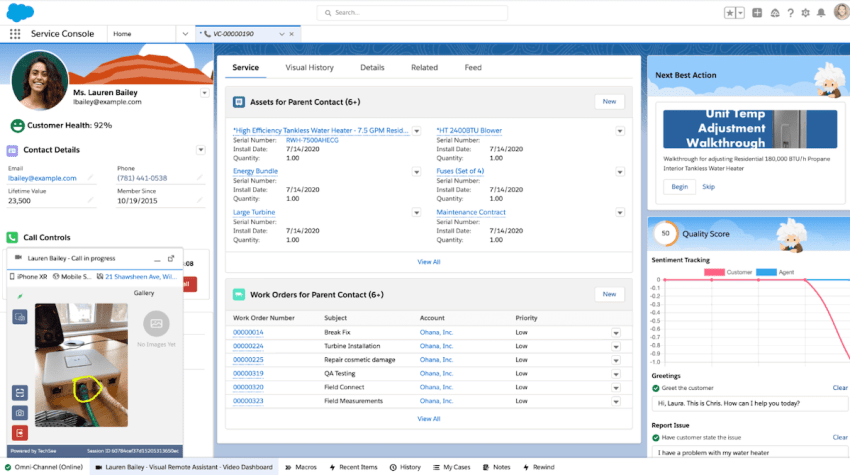
Part of the extensive Salesforce ecosystem, Service Cloud is a powerful, enterprise-grade customer service solution. It leverages the core Salesforce CRM data, providing agents with a 360-degree customer view.
This connected data model is the platform’s main advantage. An agent can review the customer’s account, purchase history, prior cases, sales activity, and other business records without building a separate customer profile in the help desk. Businesses can also create workflows that extend beyond the service department.
The platform offers considerable flexibility, but that flexibility introduces cost and administrative work. Many deployments require implementation partners, Salesforce administrators, custom integrations, data preparation, and ongoing governance.
Key features
- Enterprise case management: Tracks customer issues, ownership, approvals, service levels, and resolution activity.
- CRM-connected service: Gives agents access to customer accounts, sales activity, products, contracts, and previous cases.
- Omnichannel routing: Directs cases and conversations according to priority, skills, workload, and availability.
- Einstein and Agentforce AI: Summarizes cases, drafts responses, recommends knowledge, and completes approved service tasks.
- Workflow and analytics: Automates service processes and reports on case volume, resolution trends, agent activity, and customer outcomes.
Salesforce AI capabilities
Salesforce combines agent assistance with autonomous AI through its Einstein and Agentforce products. These tools can summarize cases, draft responses, categorize requests, recommend knowledge articles, retrieve CRM information, and suggest the next steps.
Agentforce can also access Salesforce data and workflows to complete approved service tasks. This gives businesses more flexibility than a basic chatbot, but they must carefully set permissions, data access, escalation rules, and operational controls.
Buyers should confirm which advanced AI features the core license includes and which require Agentforce, data products, credits, or other add-ons.
Salesforce Service Cloud pricing and free tier
Salesforce offers the following Service Cloud plans:
- Starter Suite: $25 per user per month
- Pro Suite: $100 per user per month
- Enterprise: $175 per user per month, billed annually
- Unlimited: $350 per user per month, billed annually
- Agentforce 1 Service: $550 per user per month, billed annually
Salesforce does not offer a permanent free plan, but trial options are available. Agentforce usage, implementation, integrations, data products, and premium support may increase the total cost. Check the Salesforce Service Cloud pricing page for current packages.
Pros and cons
Pros
Fits companies already invested in Salesforce
Supports complex account structures and approval processes
Has a large implementation and consulting ecosystem
Cons
Implementation and customization can be expensive
Teams may need Salesforce administrators or outside consultants
The interface and product catalog can overwhelm new users
Customer rating: 4.4/5
Customer review:
“Being on the Salesforce platform allows you to centralize all of your customer’s activities. The ability to provide personalized, AI-driven customer service across all channels to increase operational efficiency while deploying high-quality services on a large scale.”
Best for: Mid-market to large enterprises, particularly those already heavily invested in the Salesforce ecosystem, needing a highly customizable, powerful, and integrated customer service solution.
4. Freshdesk
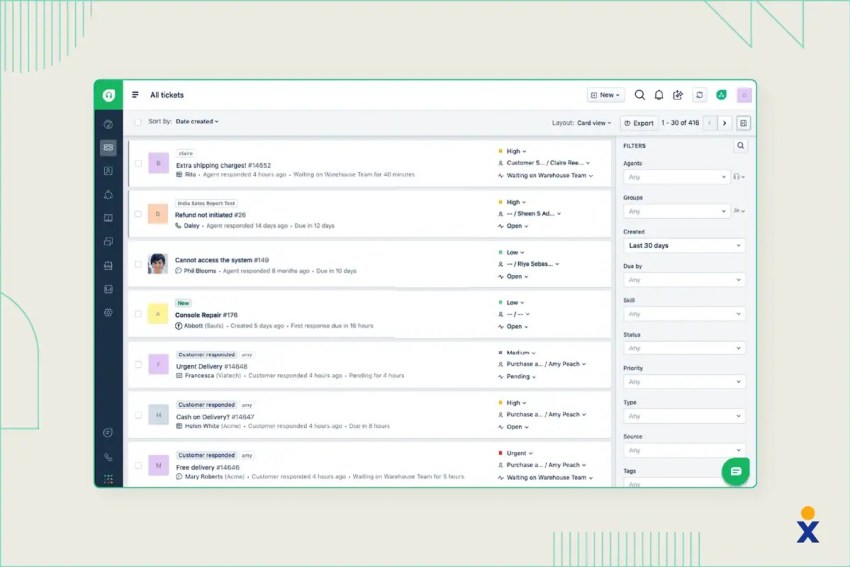
Freshdesk is a popular cloud-based customer service software known for its user-friendly interface and comprehensive feature set suitable for a wide range of businesses. It offers omnichannel support (email, phone, chat, social, messaging), ticketing, automation, a knowledge base, self-service portals, reporting, and AI features. It’s part of the broader Freshworks suite, which includes CRM, ITSM, and HR tools.
Freshdesk can also work well for small customer service teams that need an accessible ticketing system and a path to more advanced omnichannel service. It provides many standard help desk features without the implementation demands associated with some enterprise platforms.
Mid-market buyers should compare Freshdesk and Freshdesk Omni carefully. They have different pricing, channel coverage, and AI packages. A low starting price for the basic help desk may not represent the cost of a full omnichannel deployment.
Key features
- Ticketing and shared inbox: Organizes customer requests into assigned, prioritized, and trackable tickets.
- Freddy AI: Supports automated responses, summaries, suggested replies, intent detection, routing, and knowledge recommendations.
- Workflow automation: Assigns tickets, updates fields, sends notifications, and escalates overdue requests.
- Knowledge base and customer portal: Gives customers access to support content, ticket submission, and request tracking.
- Omnichannel service: Connects email, chat, messaging, social media, and voice through Freshdesk Omni.
Freshdesk AI capabilities
Freshdesk uses Freddy AI to automate customer responses, summarize tickets, suggest replies, detect intent, route requests, and assist agents. Freddy AI Agent can resolve supported requests using approved service content, while Freddy AI Copilot assists agents throughout their work.
AI allowances vary between Freshdesk and Freshdesk Omni plans. Some plans include a set number of AI sessions, while additional sessions and copilot access may cost extra.
Businesses should test Freddy AI with their actual knowledge-base content, unclear questions, policy exceptions, multilingual requests, and cases that require a transfer to a person.
Freshdesk pricing and free tier
Freshdesk offers the following plans when billed annually:
- Free Program: $0 for up to two agents
- Growth: $19 per agent per month
- Pro: $55 per agent per month
- Enterprise: $89 per agent per month
Freshdesk offers a 14-day trial of its paid plans. Freddy AI Copilot, additional AI Agent sessions, day passes, connector tasks, and Freshdesk Omni may increase the total cost. Check the Freshdesk pricing page for current packages.
Where does your CX strategy stand with AI?
Take the AI Maturity assessment to get personalized recommendations on how to enhance your CX.
Pros and cons
Pros
Provides an accessible starting point for teams adopting a help desk
Requires less setup than many enterprise platforms
Offers a free plan for very small teams
Cons
Advanced functions require higher-priced plans
Freshdesk and Freshdesk Omni pricing can cause confusion
Growing teams may need additional Freshworks products
Customer rating: 4.4/5
Customer review:
“Freshdesk is easy to use and gets you up and running in no time. This is handy if you are new to ticketing.”
Best for: Growing and mid-market support teams looking for a user-friendly, feature-rich, and value-oriented omnichannel customer service solution.
5. HubSpot Service Hub
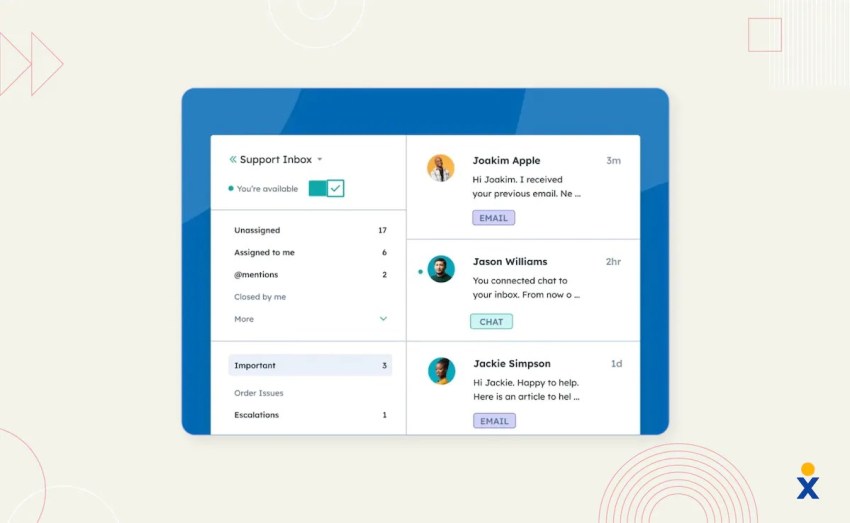
Service Hub is HubSpot’s customer service software offering, built on top of its popular free CRM. Its main strength is its integration with HubSpot’s Marketing Hub, Sales Hub, CMS Hub, and Operations Hub, providing a unified view of the customer across all departments. This support software is particularly relevant for businesses already using HubSpot for sales, marketing, or customer relationship management.
The platform is easy to adopt when HubSpot is already part of your business. It may be less attractive for enterprises that require highly specialized contact center routing, workforce management, or case management outside the HubSpot ecosystem.
Key features
- CRM-connected ticketing: Links tickets with HubSpot contact, company, sales, and marketing records.
- Help desk workspace: Brings tickets, email, chat, and supported messaging conversations into one interface.
- Ticket automation: Assigns, updates, prioritizes, and escalates tickets according to defined rules.
- Breeze AI tools: Assists with conversation summaries, response drafting, knowledge retrieval, and service content.
- Knowledge and feedback tools: Supports self-service content, customer portals, satisfaction surveys, and service reporting.
HubSpot AI capabilities
HubSpot uses AI to summarize records, draft and revise customer communications, retrieve CRM information, generate knowledge content, and support service workflows. Its Breeze products bring AI capabilities to the broader HubSpot platform.
Service Hub remains primarily AI-assisted because much of its value comes from giving employees faster access to connected CRM information and content tools. HubSpot continues to introduce more autonomous agent capabilities, so buyers should confirm which functions their plan and region currently support.
Companies should also review how HubSpot Credits work. Some AI functions consume credits rather than operating entirely within the seat price.
HubSpot Service Hub pricing and free tier
HubSpot Service Hub offers the following plans:
- Free: $0 for up to two users
- Starter: Starts at $20 per seat per month, with promotional discounts sometimes available
- Professional: Starts at $100 per seat per month
- Enterprise: Starts at $150 per seat per month
Paid plans include a monthly allowance of HubSpot Credits. Additional credits, onboarding, extra seats, and other HubSpot products may increase the total cost. Check the HubSpot Service Hub pricing page for current prices and promotions.
Pros and cons
Pros
Tight integration with the HubSpot ecosystem
Offers free tools for small service teams
Makes it easier for service, sales, and marketing teams to share customer information
Cons
Can become expensive as you move up the tiers or add more paid users
Standalone platforms may lack functionality in some areas compared to specialized platforms like Zendesk or Salesforce
It may not suit complex, voice-heavy contact centers
Customer rating: 4.4/5
Customer review:
“The service hub is a great method of centralizing all customer issues so my team can efficiently track and respond to all concerns.”
Best for: Businesses already using or planning to use the HubSpot CRM and looking for a tightly integrated customer service solution within that ecosystem.
6. Intercom
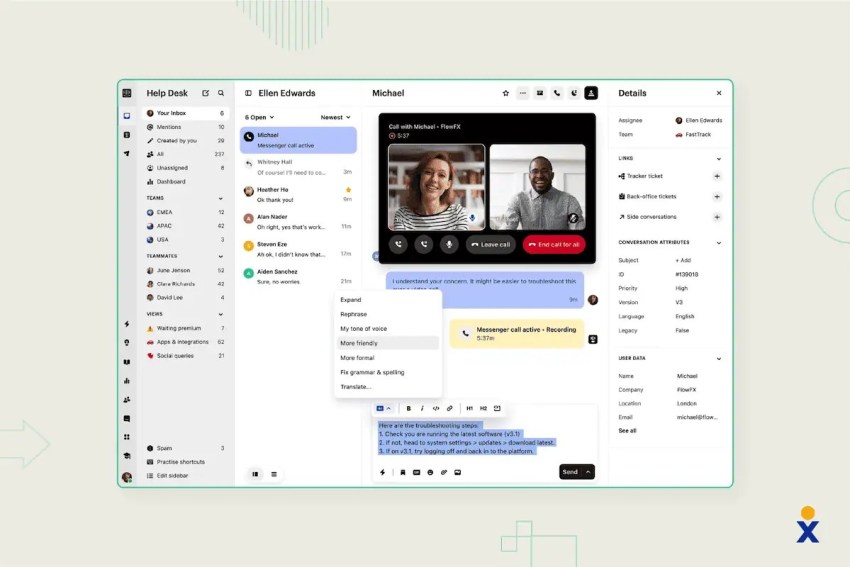
Intercom is a customer communications platform focused on conversational support and engagement, primarily through its business messenger (live chat, bots) on websites and apps. It facilitates proactive support, onboarding, and sales interactions.
The platform combines a help desk, messenger, shared inbox, knowledge base, outbound messages, reporting, and Fin AI Agent. Agents can manage live chat, email, and in-app conversations while viewing customer and product context.
Businesses with formal case management, complex approval requirements, or voice-heavy operations should test whether Intercom covers those workflows.
Key features
- Fin AI Agent: Answers customer questions, completes supported tasks, and transfers unresolved conversations to agents.
- Messenger and live chat: Supports real-time and asynchronous conversations through websites and mobile applications.
- AI-powered help desk: Gives agents summaries, reply suggestions, customer context, and relevant knowledge.
- Knowledge Hub: Organizes approved support content for customers, agents, and Fin.
- Conversation routing and reporting: Assigns requests and tracks team performance, resolution times, and AI outcomes.
Intercom AI capabilities
Intercom positions Fin as an AI customer service agent rather than a basic scripted chatbot. Fin can provide instant responses to customer questions using approved knowledge, handle routine inquiries, ask follow-up questions, complete supported actions, and transfer conversations to an employee when necessary.
The platform also assists human agents by summarizing conversations, generating replies, and retrieving relevant support content. These capabilities make Intercom one of the more AI-native platforms in this comparison.
However, Fin’s performance still depends on knowledge quality, workflow configuration, connected systems, and escalation design. Businesses should test its resolution accuracy with real customer requests rather than rely only on the vendor’s overall resolution-rate claims.
Intercom pricing and free tier
Intercom offers the following plans:
- Essential: $29 per seat per month
- Advanced: $85 per seat per month
- Expert: $132 per seat per month
Intercom does not offer a permanent free plan, but a free trial is available. Fin AI Agent starts at $0.99 per resolved outcome, while Copilot, proactive support, email campaigns, SMS, WhatsApp, and phone usage may increase the total cost. Check the Intercom pricing page for current packages.
Pros and cons
Pros
Excellent chat and messaging interface
Tools for proactive engagement and targeted communication
Effective chatbots and automation capabilities
Cons
Can be more expensive than traditional ticketing systems
Pricing models based on contacts reached can be unpredictable or costly for some companies
Less focus on traditional, complex ticketing workflows compared to platforms like Zendesk
Customer rating: 4.5/5
Customer review:
“What I like best about Intercom is how simple and intuitive it is to use. It’s hands down one of the best omnichannel tools available — everything from live chat to email and in-app messaging feels seamless.”
Best for: Businesses (often tech/SaaS, e-commerce) focused on proactive customer engagement, lead generation, and support, primarily through messaging and chat channels.
7. ServiceNow Customer Service Management (CSM)

ServiceNow CSM extends the company’s powerful ITSM (IT Service Management) platform capabilities to external customer service scenarios. It focuses on connecting customer service with other departments (like engineering, operations, and field service) to resolve the root causes of issues, not just symptoms.
Key strengths include robust workflow automation, omnichannel communication, AI-powered self-service, field service management integration, and connecting customer issues to operational processes.
Key features
- Enterprise case management: Tracks complex cases, related tasks, entitlements, products, and service levels.
- Cross-department workflows: Connects customer service with support operations, IT, engineering, finance, and field service.
- Now Assist and AI agents: Summarize cases, generate responses, recommend actions, and complete approved workflow tasks.
- Customer and partner portals: Provide access to knowledge, cases, service updates, and account information.
- Service analytics: Tracks case performance, operational causes, service levels, workload, and customer outcomes.
ServiceNow AI capabilities
ServiceNow uses AI to classify and route cases, summarize interactions, recommend knowledge content, assist agents, and automate service tasks. Its Now Assist products provide generative AI capabilities across ServiceNow workflows.
The platform also supports AI agents that can complete approved work across connected enterprise systems. ServiceNow therefore supports both AI-assisted workflows and AI-led service.
Implementing these tools requires careful governance. Enterprise buyers should review data access, auditability, human approval requirements, fallback behavior, model controls, and AI consumption costs.
ServiceNow CSM pricing and free tier
ServiceNow does not publish standard prices for Customer Service Management. Businesses must contact its sales team for a quote based on the number of users, products, deployment scope, and service requirements.
ServiceNow does not offer a permanent free plan. Implementation, integrations, Now Assist, industry products, premium support, and other ServiceNow modules may increase the total cost. Check the ServiceNow CSM product page for current package information.
Pros and cons
Pros
Powerful workflow automation
Excellent for connecting customer service to other business operations (IT, engineering)
Highly scalable and customizable for enterprise needs
Cons
Very expensive
Complex to implement, configure, and manage, requiring specialized expertise
Can be overkill for organizations without complex cross-departmental service needs
Customer rating: 4.4/5
Customer review:
“It streamlines customer operations, easy for customers who require live assistance and agents to help.”
Best for: Large enterprises, particularly those already using ServiceNow for ITSM or other functions, needing structured workflows, deep integration between customer service and operations/engineering, and proactive issue resolution.
8. Zoho Desk
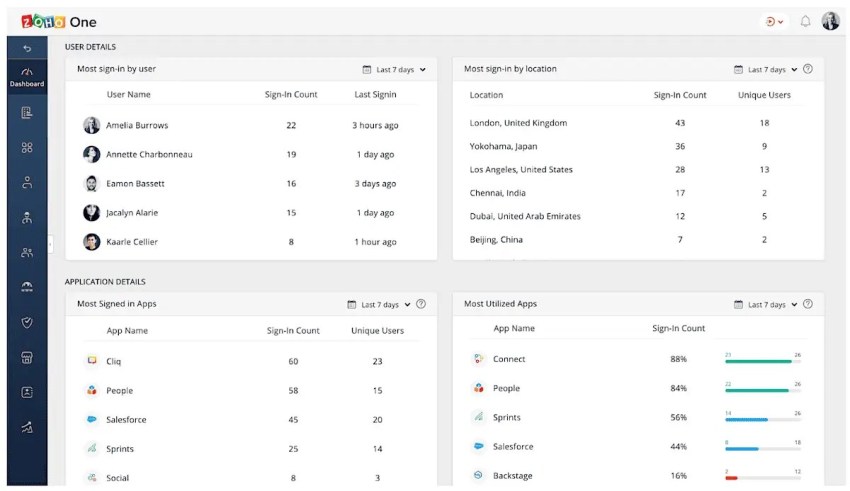
Zoho Desk is the customer service component of the broad Zoho suite of business applications. It’s a context-aware help desk software offering omnichannel support, ticketing, AI features (chatbots, sentiment analysis, agent assistance), automation, a robust knowledge base, self-service portals, advanced reporting, and integrations with many other Zoho apps (like Zoho CRM) and third-party tools. It focuses on providing agents with relevant customer context from across the Zoho ecosystem.
Zoho Desk’s integration with Zoho CRM gives agents access to sales and customer information. Businesses already using Zoho applications can connect service with other parts of their operations at a lower cost than many enterprise suites.
Key features
- Multichannel ticketing: Organizes requests from email, phone integrations, chat, social media, and web forms.
- Zia AI assistant: Supports ticket classification, sentiment analysis, reply suggestions, and knowledge recommendations.
- Workflow automation: Assigns tickets, updates fields, manages approvals, and escalates requests.
- Knowledge base and self-service: Provides support articles, community forums, ticket submission, and customer portals.
- Zoho CRM integration: Connects ticket history with customer, account, and sales information.
Zoho Desk AI capabilities
Zoho Desk uses its Zia AI assistant to classify tickets, analyze sentiment, suggest replies, retrieve knowledge articles, detect unusual activity, and assist agents. It can also provide chatbot functions through supported packages and integrations.
Zoho Desk primarily uses AI to assist agents. Its AI tools improve agent workflows and automate parts of the service process, but buyers should not assume that every plan includes a fully autonomous service agent. Confirm which Zia features the selected edition, language, and region support.
Zoho Desk pricing and free tier
Zoho Desk offers the following plans when billed annually:
- Free: $0 for up to three agents
- Express: $7 per agent per month
- Standard: $14 per agent per month
- Professional: $23 per agent per month
- Enterprise: $40 per agent per month
Zoho Desk offers a 15-day trial of its paid plans. Telephony, instant messaging, light agents, AI usage, and other Zoho products may add to the total cost. Prices also vary by country and currency. Check the Zoho Desk pricing page for regional rates.
Pros and cons
Pros
Value for money, feature-rich even at lower tiers
Strong integration with the Zoho suite
Good customization options
Cons
User interface is less modern or intuitive than competitors
Steeper learning curve for advanced configurations
Poor customer support
Customer rating: 4.4/5
Customer review:
“It’s easy to use and helps organize customer inquiries efficiently. The automation features save time, and the integration with other Zoho apps makes everything work smoothly.”
Best for: Growing and mid-market companies, particularly those already using other Zoho applications, seeking a feature-rich, affordable, and context-aware customer support platform.
9. Help Scout
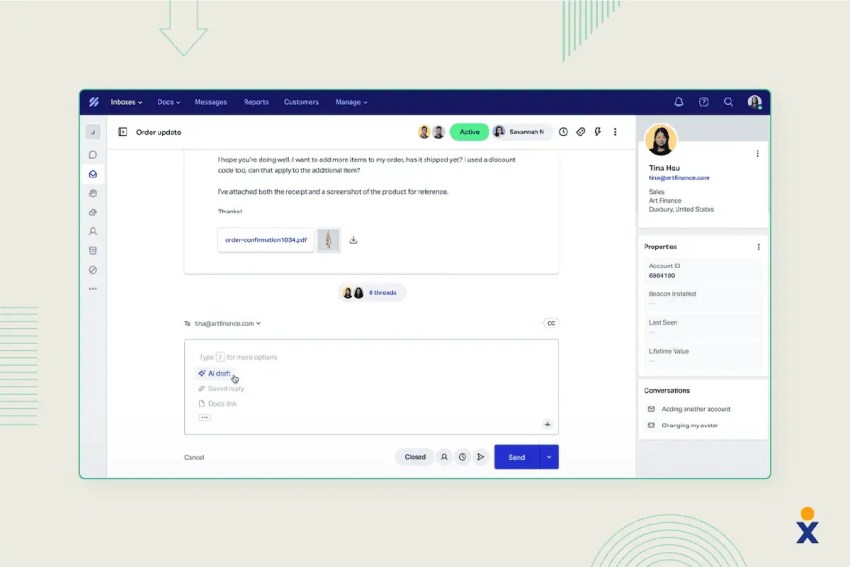
Help Scout is designed for businesses that want to provide personalized, human-centric customer support. It has a clean, simple interface that resembles a regular email inbox but with powerful help desk features running underneath.
Emails appear as natural conversations rather than formal case records. Behind the interface, agents can assign conversations, add private notes, use saved replies, create workflows, and review customer history. It includes a shared inbox for team collaboration, ticketing, knowledge base, live chat, customer profiles, reporting, and workflow automation.
Help Scout works well for businesses that want organized support without making every interaction feel like a ticket. It also offers company-level context, which is useful for B2B teams supporting several contacts within the same account.
Key features
- Shared inboxes: Lets teams assign conversations, add private notes, use saved replies, and avoid duplicate responses.
- Beacon messaging: Provides website chat, contextual support content, and access to previous conversations.
- Docs knowledge base: Lets businesses publish searchable customer self-service content.
- AI Answers and assistance: Resolves common questions and supports agents with summaries, reply revisions, and translations.
- Customer profiles and reporting: Displays conversation history and measures service volume, response time, and customer satisfaction.
Help Scout AI capabilities
Help Scout uses AI to summarize conversations, improve or draft replies, retrieve information, and answer customer questions through AI Answers. AI Answers draws from approved support content, and Help Scout charges for resolutions after the introductory trial ends.
The platform combines agent assistance with customer-facing AI resolution. However, its overall product focuses on practical team support rather than extensive autonomous workflow orchestration.
Teams should test AI Answers using their actual documentation, product terminology, policy exceptions, and escalation requirements.
Help Scout pricing and free tier
Help Scout offers the following plans:
- Standard: $25 per user per month
- Plus: $45 per user per month
- Pro: $75 per user per month, with a minimum of 10 users
Help Scout provides a 15-day trial for Standard and Plus. AI Answers includes a three-month free trial and then costs $0.75 per resolution. Additional inboxes, Docs sites, onboarding, and other add-ons may increase the total cost. Check the Help Scout pricing page for current packages.
Pros and cons
Pros
Intuitive design with a clean interface and streamlined workflows
Personalized customer interactions without overwhelming complexity
Transparent pricing structure
Cons
Lack of advanced customization options and enterprise-scale features available in larger platforms
Limited automation capabilities compared to specialized competitors in the CX space
AI usage can increase the monthly cost
Customer rating: 4.4/5
Customer review:
“Helpscout was easy to set up. And to maintain the system. And as a result, my customers are helped much better.”
Best for: Medium-sized businesses and contact center buyers who value a simple, uncluttered user interface, team collaboration, and a personalized, human touch in customer support.
10. Gorgias
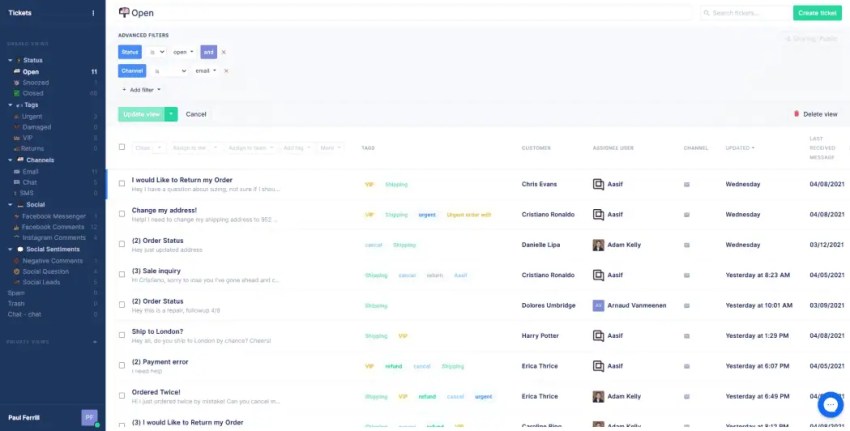
Gorgias is a customer service platform built for e-commerce businesses. It offers deep integrations with major e-commerce platforms like Shopify, Magento, and BigCommerce.
Gorgias gives customer service agents a complete view of order details, shipping information, and customer loyalty directly within the help desk interface to perform actions like issuing refunds or modifying orders without switching tools.
Key features
- Ecommerce automation and reporting: Automates service workflows and connects support activity with sales and conversion data.
- Ecommerce help desk: Displays customer conversations alongside order, shipping, payment, and purchase information.
- Store actions: Lets authorized agents edit orders, issue refunds, cancel purchases, and apply discounts from the help desk.
- AI Agent: Answers common questions and completes supported tasks involving orders, returns, products, and store policies.
- Omnichannel inbox: Organizes email, chat, social media, SMS, and supported voice interactions.
Gorgias AI capabilities
Gorgias AI Agent can answer questions and complete supported ecommerce tasks using store and customer data. It can handle common requests related to orders, returns, products, shipping, and store policies.
The platform also uses AI to detect intent, classify tickets, suggest responses, and automate workflows. Gorgias therefore supports both AI-assisted and AI-led service within ecommerce use cases.
Its AI capabilities bring more value to online retailers than to businesses with unrelated workflows. Companies should test how accurately the AI follows their refund, return, discount, and escalation policies.
Gorgias pricing and free tier
Gorgias prices its help desk according to monthly ticket volume rather than agent count. Its plans include:
- Starter: $40 per month
- Basic: $90 per month
- Pro: $550 per month
- Advanced: $1,430 per month
- Enterprise: Custom pricing
Gorgias does not offer a permanent free plan, but a free trial is available. AI Agent resolutions, voice, SMS, WhatsApp, and tickets above the plan allowance may increase the total cost. Check the Gorgias pricing page for current ticket limits and annual discounts.
Pros and cons
Pros
Tight integration with major e-commerce platforms
Purpose-built automation tools for online retail workflows
Unified management of all e-commerce communication channels
Cons
E-commerce-specific focus may limit functionality for businesses outside the online retail sector
Ticket-based pricing structure might not align with all budget models
Limited advanced analytics and reporting capabilities
Customer rating: 4.6/5
Customer review:
“Gorgias has been a game changer in customer support. This platform excels at organizing and streamlining communications, making it easy to manage emails, social media interactions, and chat, including a chatbot, all in one place.”
Best for: E-commerce businesses (especially those using Shopify, Magento, or BigCommerce) needing a help desk tightly integrated with their store platform for efficient, context-rich support.
11. Front
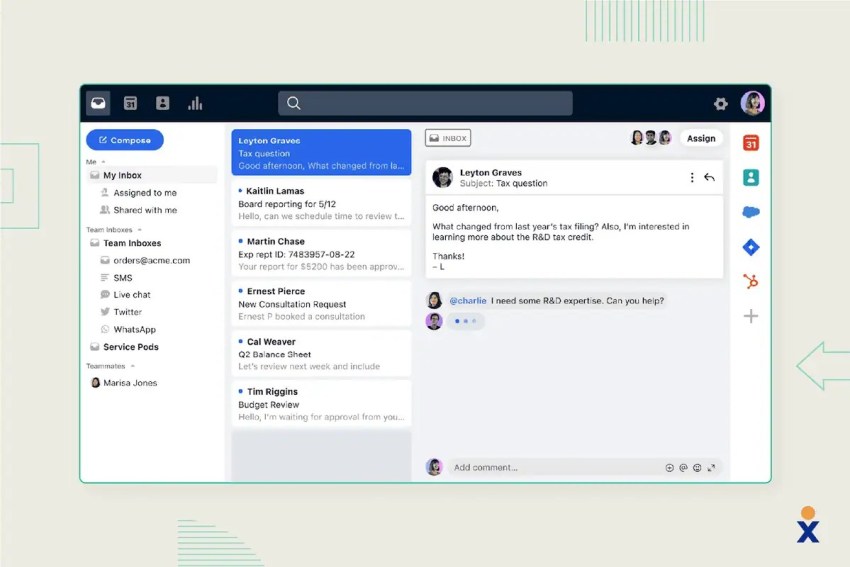
Front is a customer communication hub, focusing on managing shared inboxes and other communication channels (SMS, chat, social) collaboratively. It provides context around every message by integrating with various business apps and CRMs.
Unlike a traditional help desk, Front preserves an inbox-style interface. This makes it useful for customer success, account management, operations, logistics, and service teams that manage ongoing relationships rather than isolated tickets.
Key features
- Shared inbox management: Organizes team email, SMS, chat, social messages, and other customer conversations.
- Internal collaboration: Lets employees comment on conversations, share drafts, and coordinate replies.
- Rules and automation: Assigns conversations, applies tags, sets priorities, and manages service-level requirements.
- AI assistance: Summarizes conversations, drafts replies, extracts information, and translates messages.
- Integrations and analytics: Connects business applications and tracks workload, response times, and team performance.
Front AI capabilities
Front uses AI to summarize conversations, draft and revise replies, translate messages, extract information, and analyze customer interactions. Its AI Autopilot can resolve supported requests using approved knowledge and transfer conversations to an agent when necessary. This makes Front both AI-assisted and capable of AI-led resolution.
Front pricing and free tier
Front offers the following plans when billed annually:
- Starter: $25 per seat per month for up to 10 seats
- Professional: $65 per seat per month for up to 50 seats
- Enterprise: $105 per seat per month
Front does not offer a permanent free plan, but it provides a 14-day trial. AI Autopilot, Copilot, quality assurance, customer satisfaction analysis, WhatsApp, increased API limits, and onboarding services may increase the total cost. Check the Front pricing page for current packages.
Pros and cons
Pros
Excellent for managing high volumes of email
Strong integration capabilities
Great for internal team collaboration
Cons
Less focused on traditional, structured ticketing workflows compared to dedicated help desks
Reporting and analytics might be less robust than specialized platforms
Can become expensive as team size grows
Customer rating: 4.7/5
Customer review:
“Front enables us to combine nearly all of our customer experience channels into one easy-to-use application. Onboarding new CX team members is simple and intuitive.”
Best for: Teams that use shared email inboxes, SMS, or social channels for customer communication and prioritize internal collaboration around those messages.
12. LiveAgent
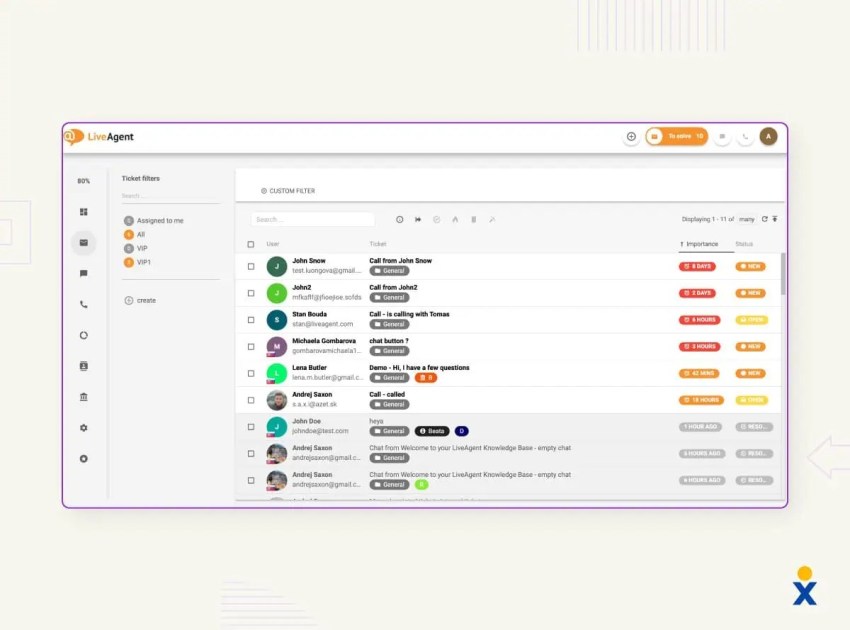
LiveAgent offers many customer service functions in one platform. It includes a ticketing system, robust live chat features (proactive chat, real-time typing view), call center capabilities (IVR, call recording, callbacks), social media integrations, a knowledge base, a customer portal, and basic reporting. It’s a complete customer service tool with impressive live chat and call center offerings.
Key features
- Universal inbox: Converts email, chat, phone, social media, and messaging interactions into organized tickets.
- Live chat: Provides chat routing, canned responses, proactive invitations, and visitor monitoring.
- Call center tools: Supports IVR, call routing, transfers, callbacks, and call recording.
- Ticket automation: Uses rules, priorities, tags, departments, and service-level policies to manage requests.
- Customer self-service: Provides a knowledge base, community forum, customer portal, and ticket tracking.
LiveAgent AI capabilities
LiveAgent combines AI assistance with AI-led customer service. Its capabilities include response generation, ticket summaries, categorization, AI chat, automated ticket responses, spam filtering, and human handoff. Buyers should confirm the AI allowances and supported channels included with their selected plan.
LiveAgent pricing and free tier
LiveAgent offers the following paid plans:
- Small: $15 per agent per month
- Medium: $29 per agent per month
- Large: $49 per agent per month
- Enterprise: $69 per agent per month
LiveAgent offers a 30-day trial. Mobile applications, API access, and standard integrations come with its subscriptions, but certain services and usage charges may cost extra. Check the LiveAgent pricing page for current packages.
At the time of this update, LiveAgent was offering eligible new customers 33% off until January 1, 2027. This reduces the annually billed Small plan from $15 to $10 per agent per month. Promotional pricing and eligibility may change.
Pros and cons
Pros
Extensive feature set covering many communication channels
Competitive pricing offers good value
Live chat and call center functionalities
Cons
Outdated interface
Steeper learning curve
Occasional performance issues during peak usage periods
Customer rating: 4.5/5
Customer review:
“LiveAgent enabled us to handle all customer inquiries via live chat with ease. I loved how LiveAgent brought all the sources of inquiries together in one place. I loved the ease of ticket integration, it speeds up the response.”
Best for: Mid-market and contact center buyers looking for a comprehensive, all-in-one customer service solution with strong live chat and call center features at a competitive price point.
13. Gladly
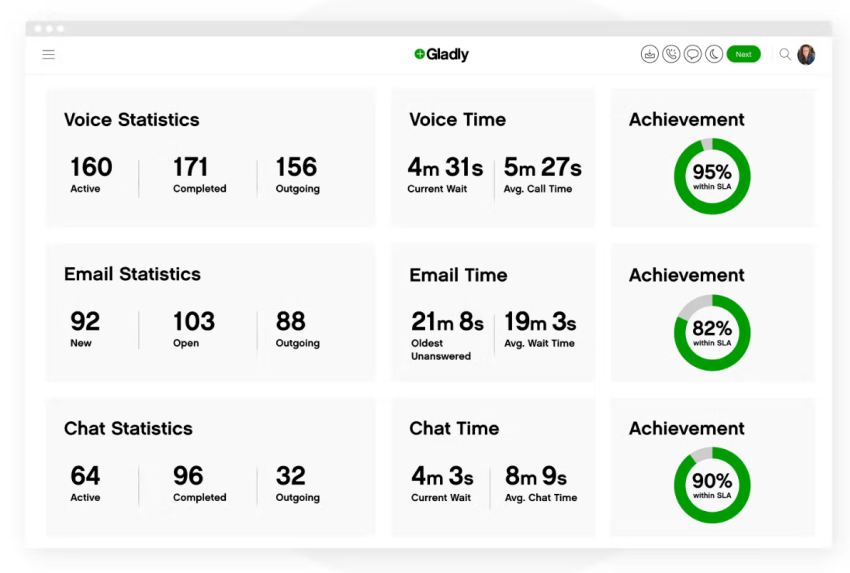
Gladly takes a unique, customer-centric approach rather than a traditional ticket-centric one. It organizes all communication across channels (voice, email, chat, SMS, social) into a single, continuous conversation timeline centered around the customer, not individual cases.
The customer service software empowers agents with full context and history, enabling more personalized and efficient service. Gladly uses AI for customer self-service, agent assistance, summaries, and responses.
Key features
- Customer-centered conversation history: Organizes interactions around each customer instead of creating disconnected tickets.
- Omnichannel service: Connects voice, email, chat, SMS, and supported messaging channels.
- Sidekick AI: Answers approved questions, supports self-service, and transfers requests to agents.
- Agent workspace: Displays customer history, conversation summaries, preferences, and connected transaction data.
- Task management and reporting: Tracks follow-up work, channel activity, agent workload, and service outcomes, focused on customer lifetime value and agent productivity.
Gladly AI capabilities
Gladly uses AI for customer self-service, agent assistance, conversation summaries, and response generation. Sidekick can resolve supported requests using approved information and transfer conversations to an agent with the relevant context. This makes Gladly both AI-assisted and capable of AI-led resolution.
Gladly pricing and free tier
Gladly does not currently publish a standard plan-by-plan price list. Businesses must request a quote based on their number of agents, service channels, AI requirements, integrations, and deployment scope.
Gladly does not advertise a permanent free plan. Trial availability may depend on the selected product and business requirements. AI products, implementation, integrations, and other services may increase the total cost. Check Gladly’s website or contact its sales team for current pricing.
Pros and cons
Pros
Offers good context and facilitates highly personalized interactions
Duplicate tickets/cases detection
Modern interface
Cons
More expensive than traditional help desks
Steeper learning curve
It may be excessive for basic ticketing requirements
Customer rating: 4.7/5
Customer review:
“This is so easy to use, that even if you haven’t used this program before, is a great way of starting in the customer service environment and this makes our job easier.”
Best for: Customer-centric businesses (retail, travel, hospitality) willing to invest in a premium platform to provide highly personalized service based on a complete customer conversation history.
14. HappyFox

HappyFox offers a cloud-based help desk and ticketing system known for its ease of use, customization options, and strong feature set. It includes ticketing, automation, asset management, task management, knowledge base, self-service portal, customer satisfaction surveys, and detailed reporting. It also offers separate products for live chat and workflow automation.
Key features
- Help desk ticketing: Converts requests from email, web forms, chat integrations, and other channels into tickets.
- Smart Rules automation: Assigns, categorizes, prioritizes, updates, and escalates tickets.
- Knowledge base and portal: Gives customers access to support articles, ticket submission, and request tracking.
- Asset and task management: Connects tickets with equipment and divides complex requests into assigned tasks.
- Reporting: Tracks service levels, response times, ticket volume, agent performance, and customer satisfaction.
HappyFox AI capabilities
HappyFox uses AI to summarize tickets, generate replies, categorize requests, retrieve knowledge, and support service workflows. Its approach is primarily AI-assisted, helping agents handle requests faster rather than making autonomous resolution the platform’s main focus.
HappyFox pricing and free tier
HappyFox offers agent-based and unlimited-agent pricing options. Its agent-based Help Desk plans include:
- Basic: Starts at $24 per agent per month when billed annually
- Team: Starts at $49 per agent per month when billed annually
- Pro: Starts at $99 per agent per month when billed annually
- Enterprise Pro: Custom pricing. Price varies by billing term and agent count
Unlimited-agent plans start at $1,999 per month when billed annually and use annual ticket allowances instead of per-agent charges. HappyFox does not offer a permanent free plan, but a 14-day trial is available. AI, web messaging, workflows, business intelligence, voice usage, and other products may increase the total cost. Check the HappyFox pricing page for current options.
Pros and cons
Pros
Intuitive interface
Powerful automation capabilities (Smart Rules)
Responsive customer support
Cons
Public pricing can be difficult to compare across packages
Its separate products can complicate selection
Expensive higher tiers require a substantial budget
Customer rating: 4.4/5
Customer review:
“Happy Fox gave the company I was working for the ability to provide employees greater capacity, issue tracking, and efficiency. Responding to clients became much less of a headache; we were able to group and tag issues for issue type.”
Best for: Businesses of different sizes and industries looking for a user-friendly, customizable help desk with strong automation features and reliable ticketing.
15. Tidio
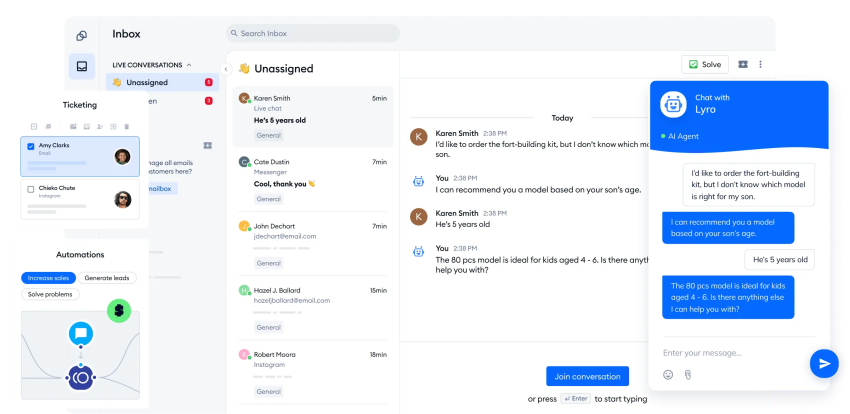
Tidio is mainly focused on live chat, chatbots, and email marketing integration, ideal for small businesses to engage website visitors, capture leads, and provide instant support. It offers a prominent chat widget, easy-to-build chatbots (no coding required), integrations with e-commerce platforms and email marketing tools, and a shared inbox for managing conversations.
Key features
- Live chat: Lets agents speak with website visitors, send saved responses, and view visitor activity.
- Lyro AI Agent: Uses approved business information to answer questions and transfer requests when necessary.
- Visual automation flows: Creates chat sequences for lead collection, product recommendations, FAQs, and routing.
- Shared inbox: Organizes conversations from chat, email, social media, and supported messaging channels.
- Ecommerce integrations: Connects with platforms such as Shopify for product, cart, and order-related support.
Tidio AI capabilities
Tidio uses Lyro AI Agent to answer customer questions using approved business content and transfer requests when human assistance is required. It also offers AI-supported reply generation and visual chatbot automation. Tidio supports AI-led resolution within website chat, although it provides less enterprise case management and contact center depth than larger platforms.
Tidio pricing and free tier
Tidio offers the following plans:
- Free: $0 per month
- Starter: $24.17 per month
- Growth: Starts at $49.17 per month
- Plus: Starts at $300 per month plus usage
- Premium: Contact sales
Tidio’s pricing depends partly on billable conversations and AI usage limits. Lyro AI conversations, additional usage, and custom service requirements may increase the total cost. Check the Tidio pricing page for current allowances.
Pros and cons
Pros
Easy to set up and use, especially chatbots
Good free plan for basic needs
Great for engaging website visitors and lead generation
Cons
Less focused on traditional, complex ticketing and backend support workflows
Reporting might be less comprehensive than dedicated help desks
Lower plans limit conversations and AI usage
Customer rating: 4.7/5
Customer review:
“I recently integrated Tidio LiveChat into my website, and I must say, it has truly transformed the way I engage with my customers. From the moment I set it up, I was impressed by its user-friendly interface and seamless integration process.”
Best for: Small and growing businesses, particularly e-commerce sites or those focused on lead generation, wanting an easy and affordable way to add live chat and chatbots to their website for engagement and basic support.
16. TeamSupport
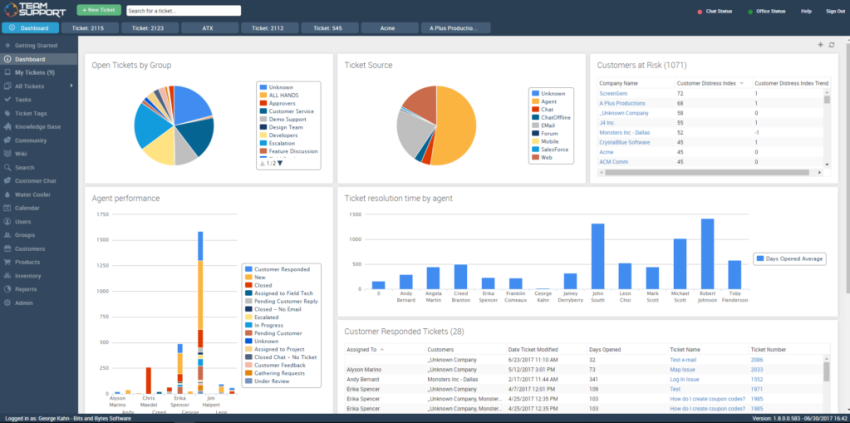
TeamSupport is a professional customer service software solution for businesses in the technology, software, and services industries. Its main focus is boosting collaboration among customer support teams and with other departments, managing complex customer relationships, and integrating product support.
Key features
- B2B ticket management: Organizes requests around business accounts, contacts, products, and ongoing relationships.
- Customer and account database: Stores company hierarchies, ticket history, products, and account-level context.
- Customer distress index: Uses service and relationship signals to flag accounts that may require attention.
- Product tracking: Connects tickets with products, versions, assets, and customer ownership information.
- Workflow and reporting: Automates service processes and tracks customer health, response times, and product-related issues.
TeamSupport AI capabilities
TeamSupport uses AI to summarize tickets, generate and revise responses, categorize requests, and support ticket routing. Its AI and automation features primarily assist agents and streamline B2B service workflows. Buyers should check which AI features and usage allowances come with each plan.
TeamSupport pricing and free tier
TeamSupport offers the following plans when billed annually:
- Starter: $45 per month for up to five users
- Professional: $65 per month with unlimited users
- Scale: $85 per month with unlimited users
TeamSupport does not advertise a permanent free plan. Messaging and live chat, analytics, training, assisted data imports, broadcasts, and professional services may increase the total cost. Check the TeamSupport pricing page for current packages and add-ons.
Pros and cons
Pros
Strong focus on B2B needs, including managing company hierarchies and complex client issues
Excellent collaboration features
Good integration of customer feedback with product development processes
Cons
Interface less modern than competitors
More B2B-focused and less ideal for B2C scenarios
Can be more expensive than general-purpose SMB help desks
Customer rating: 4.4/5
Customer review:
“I love the ability to track my clients’ customer distress index and know which clients may need some more attention. Previously we managed our tickets via email and we had no way to measure their happiness. The feature to create custom reports is great for slicing and dicing all sorts of data.”
Best for: B2B companies, especially in software, SaaS, and technology sectors, that need strong collaboration tools, customer intelligence, and features tailored to managing business client relationships.
17. Helpshift
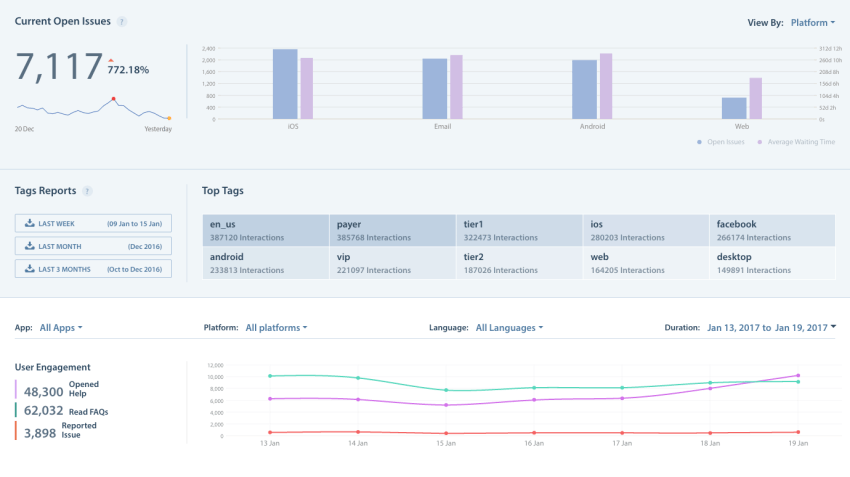
Helpshift is a customer service platform providing support within mobile applications and through modern messaging channels. It offers a seamless, asynchronous, app-like support experience.
Its software development kits let businesses embed support into their applications. Customers can start a conversation without leaving the product, and agents receive device, application, and account context that can assist troubleshooting.
Key features
- In-app messaging: Lets customers start and continue support conversations without leaving a mobile application.
- Mobile SDKs: Embeds support into iOS, Android, gaming, and other supported application environments.
- AI-powered automation: Answers common questions, classifies requests, routes conversations, and transfers complex issues.
- Asynchronous messaging: Lets customers leave and return without remaining connected to a live session.
- Mobile context and analytics: Gives agents device and application details while tracking service and automation performance.
Helpshift AI capabilities
Helpshift combines AI assistance with AI-led resolution for mobile and in-app customer service. It can answer common questions, classify conversations, route requests, and transfer more complex issues to an agent. Businesses should evaluate its automation accuracy, mobile context, escalation rules, and AI usage costs.
Helpshift pricing and free tier
Helpshift does not offer standard plan-based pricing. It creates a custom quote based on:
- Interaction volume
- Activated solutions
- Technology, AI, and human services used
- Geographic and language coverage
Helpshift does not advertise a permanent free plan. The final cost depends on the business’s support, engagement, trust and safety, community, AI, and service requirements. Check the Helpshift pricing page to request current pricing.
Pros and cons
Pros
Excellent for providing customer support directly within mobile apps
Strong asynchronous messaging capabilities
Effective chatbots and automation tailored for mobile context
Cons
Less focus on traditional email ticketing compared to other platforms
Pricing can be complex or expensive depending on usage
Primarily suited for businesses where mobile app support is a key channel
Customer rating: 4.3/5
Customer review:
“Helpshift is very easy to use and user-friendly. It’s easy to track all tickets as a support member for all customers. We use it on our everyday tasks especially when following up with customers and also answering their queries.”
Best for: Businesses with a strong focus on mobile apps (gaming, tech, e-commerce apps) needing specialized tools for in-app support, messaging, and mobile-optimized self-service.
What Is Customer Service Software?
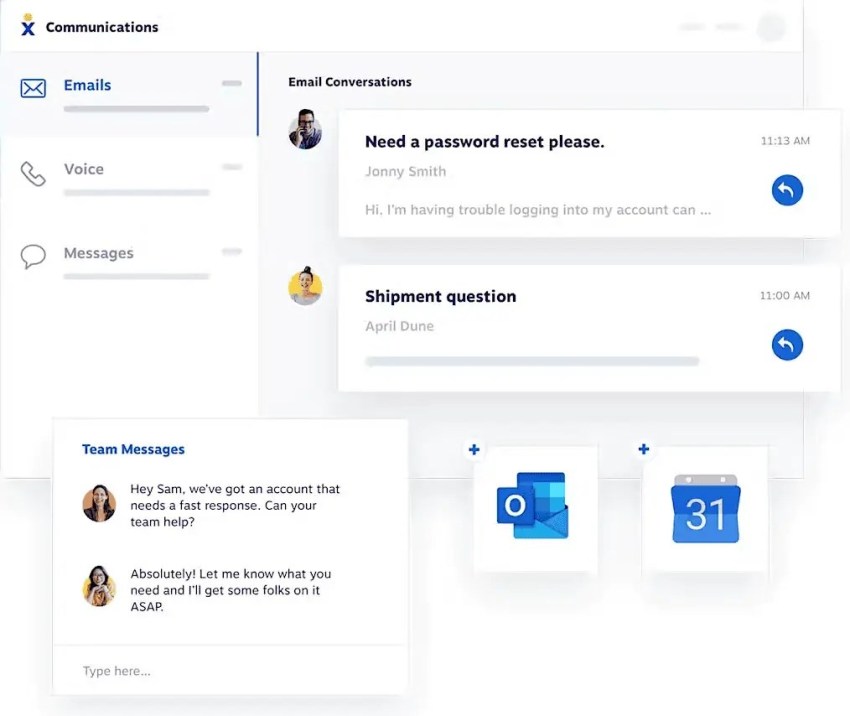
Customer service software is a set of tools that businesses use to manage, track, and respond to customer communications via email, chat, phone, and social media. It allows customer service teams to organize requests and provide assistance efficiently from a central location.
Customer service software often includes ticketing systems, live chat, knowledge bases, and AI automation. These capabilities bring customer conversations, support resources, and service workflows into one platform.
Beyond simply collecting messages, the right customer service software helps teams work more effectively. It allows them to track each customer issue from start to finish, ensuring nothing gets missed.
Customer service platforms also provide valuable context, like past conversation history, enabling faster, more personalized customer care. They improve efficiency for large support teams and provide a more consistent, helpful customer experience.
What Are the Different Types of Customer Service Software?
Customer service software isn’t just one product; different tools are built for different needs, though you’ll find many features overlapping. Understanding the main categories can help you understand what software type makes the most sense for your business. Here are some customer service software examples:
- Help desks (or ticketing systems): Manage customer requests from multiple channels (email, web forms), track progress, and facilitate team collaboration. Many include knowledge base functionality for customer self-service.
- Live chat software: Specializes in real-time, instant conversations via website chat boxes, focusing on quick back-and-forth messaging. Features include automated greetings, saved quick replies, and chat activity reports. Can be standalone or integrated with help desks.
- Shared inbox tools: Organize team email addresses (e.g., support@yourcompany.com) by enabling assignments, tracking of replies (to avoid duplicates), and internal notes within conversation threads, streamlining email collaboration.
- Call center software: Efficiently manage high volumes of phone support using features like interactive voice menus (IVR), automatic call distribution (ACD), call recording, and detailed reporting on wait times and call duration. Optimizes voice communication at scale.
- Customer relationship management (CRM) software: Larger CRM systems often include customer service sections, integrating support tickets and history with sales and marketing data for a complete customer view.
- All-in-one (omnichannel) platforms: Integrate all customer communication channels (email, chat, phone, social media, texts) into a single interface, providing a consistent customer experience and full context for agents.
AI-Native vs. AI-Assisted Customer Service Software
The distinction between AI-native and AI-assisted software affects workflows, staffing, pricing, and risk.
| AI approach | What it does | Best suited for | Main consideration |
|---|---|---|---|
| AI-native | Resolves approved requests or completes tasks without an agent | High volumes of routine, repeatable requests | Accuracy, permissions, escalation, and usage costs |
| AI-assisted | Summarizes, recommends, drafts, classifies, or guides an agent | Complex or sensitive requests requiring human judgment | Adoption, data quality, and agent oversight |
| Hybrid | Uses AI for routine resolution and supports agents with remaining cases | Organizations with varied request complexity | Coordinating AI and human workflows |
A platform should not be classified as AI-native simply because it includes a chatbot. Scripted bots follow fixed menus or rules. AI agents interpret natural-language requests, retrieve information, and may complete approved actions. Both approaches can reduce repetitive tasks, but businesses should test accuracy, permissions, and escalation before allowing AI to act independently.
Benefits of Customer Service Software for Your Business
Managing growing requests across phone, email, chat, text messaging, and social media can quickly become difficult. Information gets scattered across tools, customers repeat themselves, and agents spend time searching for context instead of working to resolve customer issues.
Customer service software organizes these interactions around specific customer needs. It can help teams deliver great customer service while controlling workloads, response times, and service quality.
- Faster response and resolution times: Routing rules, customer history, suggested replies, and workflow automation give agents the information they need to handle requests without unnecessary delays.
- Better organization: A centralized workspace records every request, its status, the assigned agent, previous interactions, internal notes, and actions taken. This reduces the risk of missed or duplicated responses.
- Stronger team collaboration: Agents can assign conversations, leave internal notes, transfer cases, and involve other departments without losing the customer’s history.
- More personalized customer care: Access to previous conversations, account details, orders, and preferences gives agents useful context. Teams can provide personalized assistance without asking customers to repeat information.
- More consistent service across channels: Connected phone, email, chat, messaging, and social media interactions give agents a continuous view of the customer journey, even when a conversation moves between channels.
- Lower administrative workload: AI enhances customer service software by automating routine tasks. Automation features help streamline repetitive tasks such as assigning requests, updating statuses, sending acknowledgements, and escalating overdue cases.
- Greater self-service availability: Knowledge bases, customer portals, and AI-powered chatbots provide instant responses to customer inquiries and can transfer more complex requests to an agent. Customers can find assistance outside regular business hours while support teams reduce repetitive requests.
- Better service insights: Reporting tools provide valuable insights into request volume, response times, resolution times, customer behavior, agent workloads, and recurring issues. Teams can also analyze customer feedback to improve service processes, staffing, and policies.
- Easier growth: Customer service software can scale support operations as demand grows without requiring staffing levels to increase at the same rate. Automation, self-service, and AI can handle routine requests while agents focus on more complex issues.
These benefits can contribute to improved customer satisfaction, but results depend on the platform, plan, integrations, implementation, and quality of the company’s service processes.
Key Features and Functions of Customer Service Software
Customer support software varies in scope, but most combine several core capabilities for managing requests, supporting agents, and measuring service performance. Common features of customer service software include ticket management, omnichannel support, automation, self-service, and analytics reporting.
- Ticket and case management: Creates a trackable record for each customer request. The record stores its status, priority, assigned agent, conversation history, internal notes, and actions taken from initial contact through resolution.
- Omnichannel communication: Connects supported channels such as phone, email, live chat, SMS, social media, and in-app messaging. Agents can manage conversations from one workspace and retain context when customers move between channels.
- Intelligent routing and assignment: Directs requests based on factors such as channel, topic, urgency, customer type, agent skills, language, location, or availability. More advanced platforms use AI to recognize intent and recommend or complete the appropriate routing action.
- Automation and workflows: Handles repetitive processes such as acknowledgements, ticket classification, status changes, follow-up messages, SLA notifications, and escalations. Configurable workflows can also update connected business systems or involve another department.
- Knowledge base management: Stores approved articles, answers, guides, and troubleshooting information. Agents can retrieve this content while assisting customers, and customers can access it through a public help center.
- Customer self-service capabilities: Gives customers self-service options and access to knowledge articles, request forms, ticket tracking, community forums, chatbots, or AI agents. Self-service tools work best when their content stays accurate, and the platform provides a clear path to a person.
- AI assistance and AI agents: AI-assisted features can summarize conversations, draft responses, retrieve knowledge, classify requests, analyze sentiment, and recommend next steps. AI-native capabilities may also resolve approved requests or complete tasks without continuous agent involvement.
- Customer profiles and interaction history: Stores contact details, previous conversations, preferences, account information, and other relevant context. Some platforms include lightweight contact management, while others connect with a separate CRM.
- CRM and business integrations: Connects customer service records with sales, billing, ecommerce, order management, collaboration, scheduling, and product systems. Deeper integrations can update records and trigger workflows rather than simply display information.
- Reporting and analytics: Advanced analytics track key metrics like response times and resolution rates. They can also measure request volume, SLA performance, customer satisfaction, agent workload, channel usage, and recurring customer issues.
- Security and administrative controls: Manage user permissions, data access, authentication, retention policies, audit trails, and regulatory requirements. Larger organizations may also need data residency options, sandbox environments, custom roles, and approval workflows.
The right feature set depends on the business’s customer channels, service volume, existing systems, security requirements, and plans for growth. Buyers should confirm which features come with the selected plan and which require add-ons, higher tiers, or usage-based fees.
How to Choose the Right Customer Service Software
Choosing customer service software requires a structured evaluation of your channels, request volume, workflows, integrations, security requirements, and budget. Use the following steps to compare platforms based on your current needs and future growth.
1. Define your business needs and feature requirements
Start by understanding why you need customer service software and what problems you want to solve. Analyze your current challenges: are you struggling with disorganized communication, slow response times, lack of customer context, or poor reporting?
Identify your primary customer contact channels (email, chat, phone, social media) and your current and projected inquiry volume. Then, translate your goals into a list of essential (“must-have”) software features, such as robust ticketing across specific channels, a comprehensive knowledge base, required automation capabilities, necessary reporting metrics, and specific integrations.
Differentiating core needs from “nice-to-have” features will help focus your search.
2. Evaluate usability, integration, and scalability
Consider how the software will fit into your daily operations and future growth. Evaluate its ease of use: is the interface intuitive for both your support agents and administrators? How complex and time-consuming will implementation and training be?
Crucially, assess its integration capabilities. Check that it integrates smoothly with your existing business tools, such as CRM systems, e-commerce platforms, and internal communication apps, to ensure a unified workflow.

Also, consider scalability. Make sure the platform can comfortably accommodate your projected growth in user seats, feature needs, and interaction volume without requiring a disruptive switch later on.
3. Assess the budget and total cost of ownership
Look beyond the advertised monthly fee to understand the true investment required. Calculate the total cost of ownership (TCO), factoring in subscription costs (which may be per agent, tiered based on features, or volume-based), any implementation or setup fees, the cost of training your team, and add-ons or premium integrations.
Compare the pricing models of your shortlisted vendors to ensure the solution fits comfortably within your budget long-term.
4. Research vendor reputation and support quality
The software is only part of the equation; the provider behind it matters. Check the vendor’s reputation via recent, independent user reviews on platforms like G2, Capterra, or TrustRadius, looking for consistent feedback patterns regarding reliability, performance, and customer satisfaction.
Assess the level and quality of customer support offered for the plan you’re considering: are they responsive, knowledgeable, and available through channels that work for you? Verify their reliability track record, security practices, and uptime history. The quality of service supplied by the software provider can be as important as the product itself.
5. Shortlist top contenders
Based on how well these platforms meet your defined needs, feature requirements, budget, integration capabilities, and vendor reputation, narrow down your list to two or three strong contenders. Trying to evaluate too many options in-depth is overwhelming and inefficient. Focus on the platforms that are the best fit on paper.
6. Conduct demos and hands-on trials
This step is crucial for the final decision. Request personalized demos from your shortlisted vendors, focusing on how the software addresses your use cases and workflows. Most importantly, take advantage of free trials.
Involve your support agents in testing the software with realistic scenarios. This hands-on experience is invaluable for assessing usability, identifying friction points, and confirming whether the platform meets your team’s needs before you commit.
Customer Service Teams Love Nextiva
When looking for customer service software options for your business, first look closely at your existing customer experience. What are you doing well? Where are things falling short? How could your agents be better supported to better assist your customers?
Make a list of all the key features you need and the ones you’d like. These features should help improve customer interactions by offering more personalized conversations, cross-platform support, and streamlined resolution times.
Contact centers that handle customer service interactions should consider Nextiva Contact Center software, designed to facilitate customer communication, boost team collaboration, and improve the customer service experience.
Check out one of our customer success stories and hear the owner and founder of Two Hands Four Paws tell you how Nextiva has helped their business.
Give your customers the service they deserve.
See how Nextiva’s unified customer experience management capabilities improve your service quality.
Customer Service Software FAQs
Some customer service trends to watch for include:
– AI for chatbots and agent-assisted support
– Personalized customer experiences
– Omnichannel customer support
– Intelligent self-service options
– Proactive support capabilities that anticipate and address customer needs before they escalate
HubSpot Service Hub, Freshdesk, Zoho Desk, Help Scout, Tidio, and some other providers offer free customer service software with limited users, features, or interaction volumes. These plans can work for small teams with basic support needs or businesses evaluating a platform before upgrading.
Free plans commonly restrict automation, AI usage, reporting, communication channels, integrations, conversation history, and administrative controls. Compare the paid tier you are likely to need as your team and support volume grow, not just the capabilities included in the free plan.
Basic customer service software can take a few days to two weeks to implement, while setups involving data migration, several channels, custom workflows, CRM integrations, and agent training may take several weeks or months. Enterprise teams should also plan time for security reviews, AI testing, and phased deployment.
Customer service software ranges from free limited plans to more than $100 per agent per month. Basic plans commonly start between $15 and $30 per user, while advanced contact center and enterprise plans cost more. Include implementation, AI usage, messaging, integrations, training, and support when calculating the total cost.
Customer service software manages support requests through ticketing, routing, communication channels, automation, and reporting. CRM software maintains a broader record of customer and prospect relationships across sales, marketing, and service. Some platforms combine both functions, while others connect customer service software to an existing CRM.
Nextiva, Salesforce Service Cloud, HubSpot Service Hub, Zoho Desk, and Microsoft Dynamics 365 Customer Service are strong customer service platforms with CRM capabilities or integrations. Nextiva suits businesses that want unified voice and digital support connected with their CRM, while the other platforms provide service tools built more directly around CRM data. The right choice depends on your existing systems, communication channels, automation requirements, and budget.